Timesheets The Works
Hours on the job,not on a spreadsheet.
Log time against the customer and project it belongs to. Confirmed bookings count as time too. Then see it all by project or by person, and export it.
PlanThe Works, £25 per user per month billed annually. Trial from £1.
How do timesheets work in SiteSurvey?
Each person logs hours and minutes against a date, customer and project, from the Timesheet in the web dashboard or a project's Work Log. Confirmed bookings also count as time, one entry per day for each person invited. Reporting, Timesheets totals the hours by project or by person for a period, with all hours or manual entries only, and exports CSV or Excel. There is no clock in or out and no payroll integration.
Last updated 26 October 2026.
01 · Try a week
Add Friday's hours. Watch the week add up.
Logged hours and confirmed bookings sit in the same week, with day and project totals. Switch to manual only, like the report does.
| Mon | Tue | Wed | Thu | Fri |
|---|---|---|---|---|
| 03:00Riverside Court Survey write-up | 04:00Riverside Court Booking 08:00 to 12:00 | 09:00St Mary's refit All-day booking | 01:30Hope Street school Snag visit | |
| 03:00 | 04:00 | 09:00 | 01:30 | 00:00 |
Example week for one person. Nothing is saved.
Add hours
Week total
02 · Log hours
Against the job, in a few clicks.
Open Timesheet from your user menu for a week at a glance, or add an entry straight from the project.
- Week view. Move week by week, jump to today, and see day and week totals.
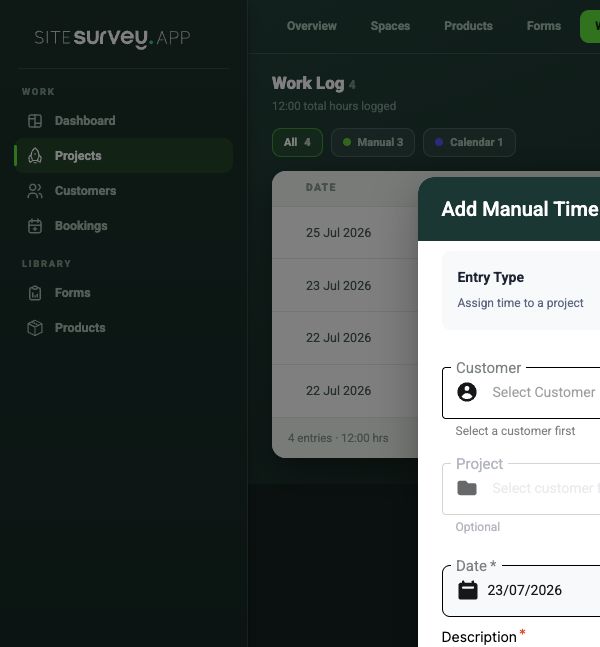
- Hours and minutes. With the date, customer, project, a title and a description.
- For someone else. An administrator can log time on a team member's behalf.
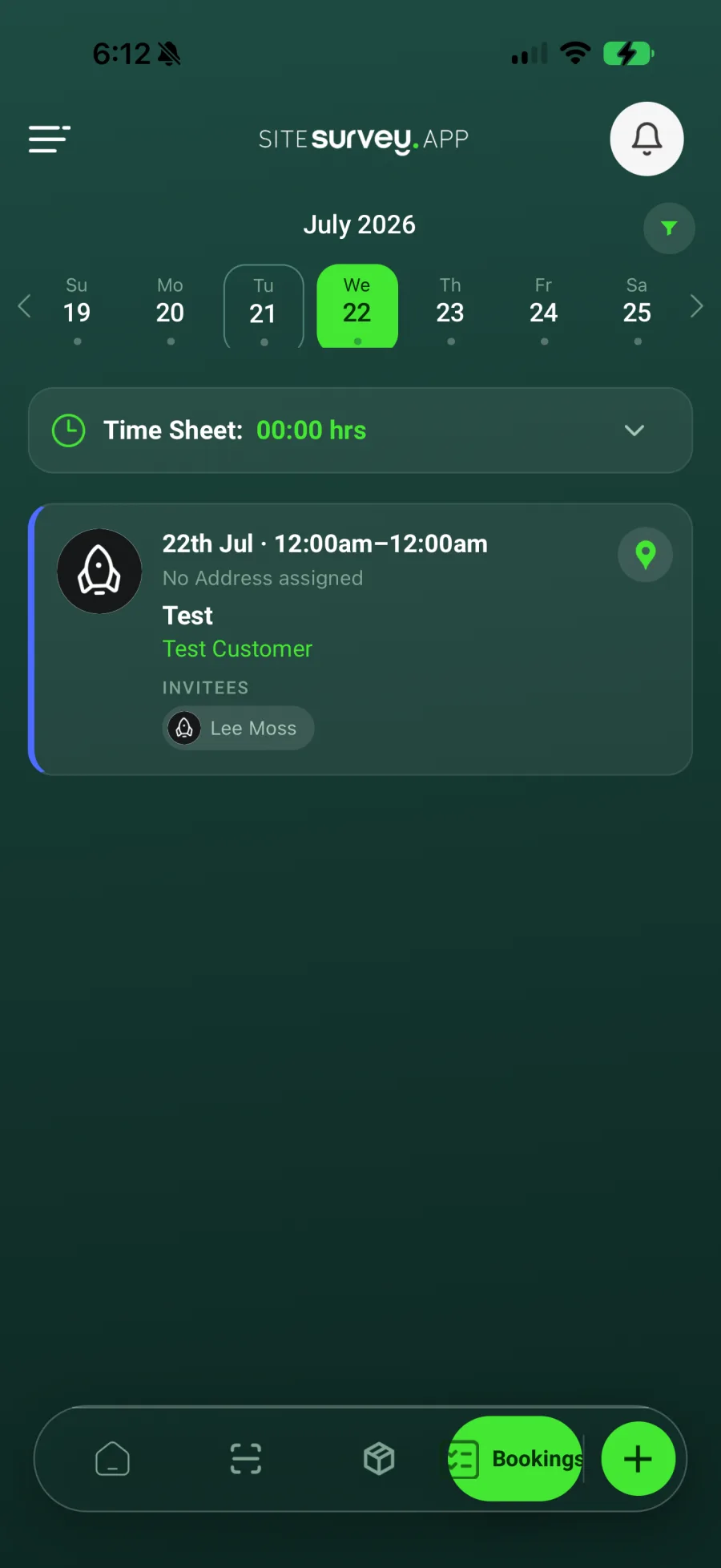
- On the phone. The Bookings screen shows the day's timesheet total next to the day's visits.
03 · Work Log
Every hour on the project, in one list.
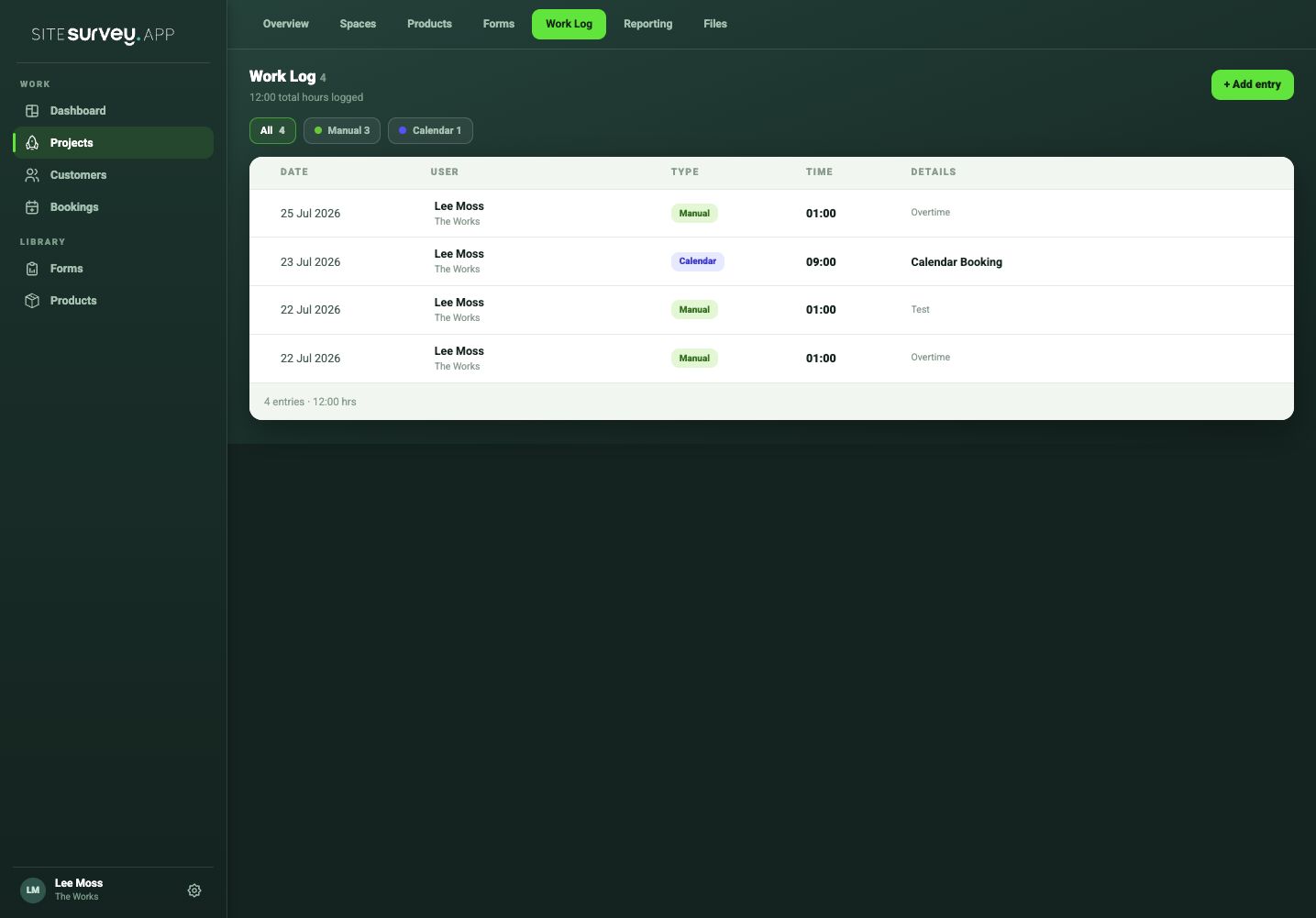
The project's Work Log brings together the hours people logged and the bookings that were confirmed, with the total so far.
- Manual and calendar entries. Filter to either, or see all of them.
- Bookings count automatically. One entry per day for each person invited. Timed bookings count their length; all-day bookings count as 9 hours.
- Add entry. Log time without leaving the project.
04 · Reporting
Hours by project or by person.
Reporting, Timesheets shows the hours across all your projects for the period you choose.
| Period | This week, last week, this month, or your own dates. |
|---|---|
| Filters | Projects, customers and people, plus all hours or manual entries only. |
| Views | By project (customer, people, entries, hours) or by person (role, projects, entries, hours). Open a row to see the entries behind it, with their date and whether they were logged or booked. |
| Export | CSV or Excel of what you are looking at. Each person can also download their own entries for a date range. |
| Who sees it | The Works. Reporting is not shown to Base or viewer users. |
05 · What it doesn't do
A record of hours, not a payroll system.
It does
- Hours and minutes per date, customer and project
- Confirmed bookings counted as time
- Totals by day, week, project and person
- CSV and Excel export
Use with
It doesn't
- Clock people in or out
- Work out hours from GPS
- Approve timesheets
- Hold pay rates or labour cost
- Connect to payroll software
SiteSurvey timesheets, at a glance
- What it is
- Time logged against customers and projects, alongside confirmed bookings, with reporting and export.
- Logging
- Hours and minutes with a date, customer, project, title and description, from the Timesheet week view or a project's Work Log.
- Bookings
- Confirmed bookings count as time: one entry per day per person invited; all-day bookings count as 9 hours.
- Reporting
- By project or by person for a period, filtered by project, customer and person, all hours or manual only.
- Export
- CSV or Excel. No direct payroll integration.
- Not included
- Clock in or out, GPS-based time, approvals, pay rates and labour cost.
- Plan
- The Works, £25 per user per month billed annually. Trial from £1.
How do I log hours in SiteSurvey?
On the web, open Timesheet from your user menu, or Work Log on a project, and choose Add hours or Add entry. Pick the date, customer and project, give it a title and description, and enter the hours and minutes. On the phone, the Bookings screen shows your timesheet total for the day.
Do bookings count as time?
Yes. Confirmed bookings appear in the project's Work Log as calendar entries, one per day for each person invited: a timed booking counts its length and an all-day booking counts as 9 hours. In Reporting you can show all hours or manual entries only.
Is there clock in and clock out?
No. Time is entered as hours and minutes against a date and project. SiteSurvey does not clock people in or out, or work out hours from GPS.
Can I export timesheets for payroll?
Yes, as a file. Reporting, Timesheets exports CSV or Excel by project or person for the period you choose, and each person can download their own entries for a date range. There is no direct payroll integration, and SiteSurvey does not hold pay rates or work out labour cost.
Can a manager add time for someone else?
Yes. When adding an entry, an administrator can choose which user the time belongs to.
Which plan includes timesheets?
The Works, £25 per user per month billed annually, which includes staff bookings and timesheets. Reporting is not shown to Base or viewer users. Trial from £1, cancel any time.
On your next job