Capability 01
Line-item extraction
The scan reads each row on the receipt (description, quantity, unit price) plus the supplier, date, net, VAT and gross totals. A merchant receipt becomes a dozen costed lines, not one lump sum to break down later.
Expenses and receipt capture
Photograph a receipt on site and SiteSurvey reads it: every line item, quantity, price, VAT and total. The expense is filed against the project and the receipt image is stored in the project's Files tab, ready for the expense report.
Trial from £1 · full access · cancel any time

Photograph the receipt on the phone and SiteSurvey reads the supplier, date, each line item with its quantity and price, and the net, VAT and gross totals. You check the values and save: the expense is filed against the project, the receipt image goes into the project's Files tab, and it all feeds the project expense report.
Last updated 26 September 2026.
Read, checked, filed, reported
A receipt in a pocket is a cost nobody can see until month end. Scanning it turns the paper into itemised figures attached to the job it belongs to, with the original image kept alongside as proof.
Capability 01
The scan reads each row on the receipt (description, quantity, unit price) plus the supplier, date, net, VAT and gross totals. A merchant receipt becomes a dozen costed lines, not one lump sum to break down later.
Capability 02
Extracted values are shown for review first, and if the line items do not add up to the amount on the receipt, SiteSurvey flags the difference so a misread price is caught before the cost is recharged.
Capability 03
Every expense is recorded on the project it belongs to, so spend sits next to the surveys, products and reports for the same job instead of in a separate finance silo.
Capability 04
The original photograph is stored in the project's Files tab and stays linked to the expense it came from, so the evidence sits with the figure for audits, client recharges and HMRC records.
Capability 05
Expenses roll into a project total built from real receipts, so the job's spend is visible while it is still running rather than after the invoice has gone out.
Capability 06
Generate an expense report for any project: the itemised lines, the totals and the receipt images in one document, ready to invoice against, recharge or hand to the accountant.
One receipt, start to finish
A real receipt from a real job, logged against the project on the phone. Nothing is typed in, and nothing waits until you are back at a desk.

Step 01
Open the project, add an expense and take the photo. That is the whole of your job on site.

Step 02
The receipt is scanned and the description, amount and supplier fill themselves in. No keyboard.
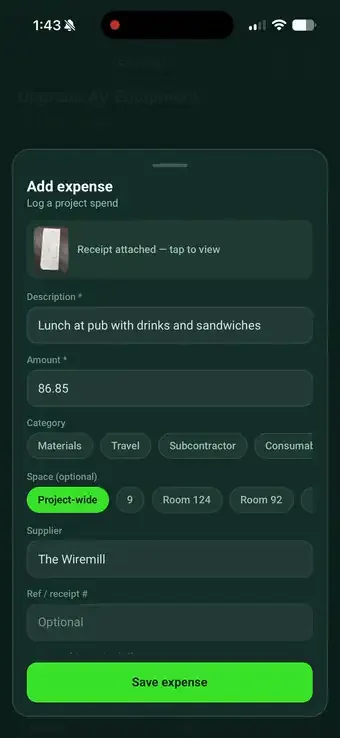
Step 03
Each row on the receipt is pulled out with its own price (discounts included) and totalled.
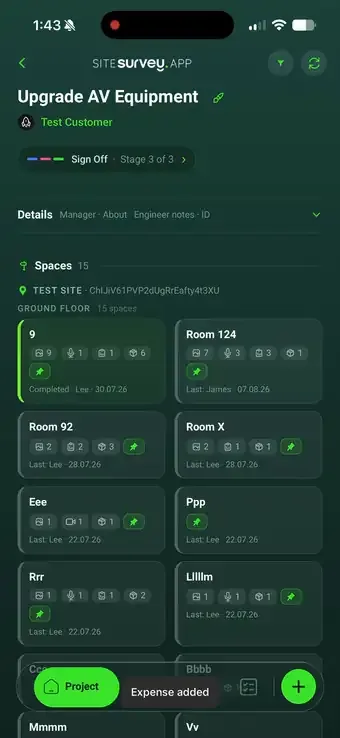
Step 04
Save, and it lands on the project with the receipt image and a running total for the job.
Builders Merchant
VAT 442 8871 03
Line items read
4 of 4✓Filed to project · Riverside Phase 2
✓Receipt image saved to Files tab
Office and field, connected
The usual expense process is a pile of fading thermal paper and somebody trying to remember which site a £276 timber order was for. Capturing the receipt on the phone removes that entirely: the cost is itemised, attached to the right project and evidenced by the image, within seconds of the transaction.
✓Every line item costed, not one unexplained total
✓Receipt image stored in the project's Files tab as proof
✓Project expense report generated whenever you need it
Back in the office
Every expense opens in the web portal with its receipt image and the extracted lines side by side. If the line items do not add up to the amount on the receipt, SiteSurvey says so. Here it flags that the lines total 73.95 against a receipt of 86.85, so somebody looks before the cost is recharged.
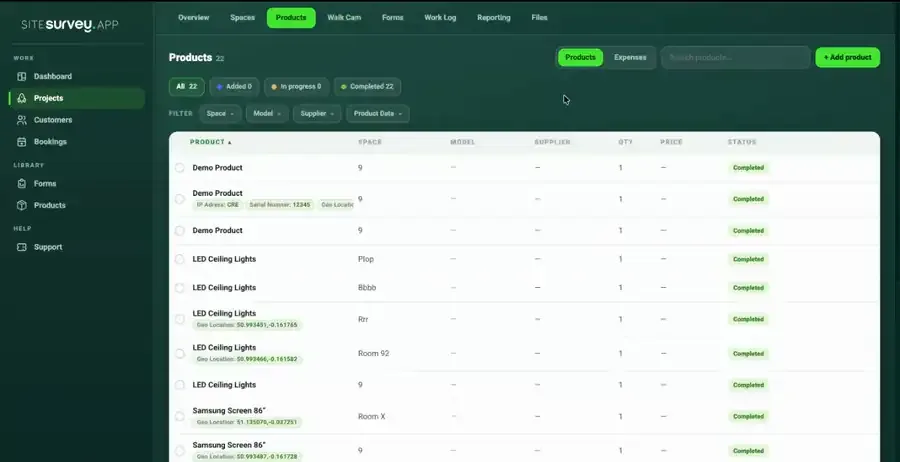
✓Receipt image and extracted lines reviewed side by side
✓Mismatches between the lines and the total are flagged for you
✓Project expense totals build as the job runs
See it on your next site
Expenses FAQ
Take a photo of the receipt with the phone. SiteSurvey reads the receipt and pulls out the supplier, the date, each line item with its quantity and price, the VAT and the total. Check the values, choose the project, and save — the expense is recorded and the receipt image is stored in the project's Files tab.
Individual line items. Each row on the receipt is extracted separately with its description, quantity and cost, alongside the net, VAT and gross totals. That means a merchant receipt with a dozen materials on it becomes a dozen costed lines against the project, not one lump sum you have to break down later.
The original photograph is saved into the project's Files tab, the same document store that holds project reports and uploads. The image stays linked to the expense it came from, so the evidence sits with the figure for audits, client recharges and HMRC records.
Yes. Extracted values are presented for review before anything is saved, and the expense can be reopened in the web portal with the receipt image and the extracted lines side by side. SiteSurvey also checks the maths for you: if the line items do not add up to the amount on the receipt it flags the difference, so a misread price is caught before the cost is recharged.
Yes. Every expense is filed against a project, so the project carries a running cost total built from real receipts. Generate an expense report for any project to get the itemised list, the totals and the receipt images in one document.
Because the spend and the work belong to the same job. Capturing a receipt where the work happens means the cost is attached to the right project immediately, rather than surfacing weeks later in a shoebox of receipts that nobody can match to a site visit.