Form library · Quality and compliance
Supplier evaluation form
A form for approving a new supplier or subcontractor, re-evaluating an existing one, or auditing them on site. Check their insurance, certificates and competence records, score their performance in six areas, raise findings and record the decision with any conditions. Every question is listed below, and you can fill the live form in on this page.
Ready to use from the form library, and every question is yours to edit. Trial from £1, cancel any time.
Try it on your phone
Try it on this phone
Fill in the supplier evaluation on your phone now
See how the supplier evaluation looks on your phone
Scan the code with your phone camera. It opens the real form, no sign-up needed.
Open the live example and fill it in, just as your team would on site. No sign-up needed.
See it on this phoneEvery question is editable. Add this form to your account, then change the wording, add or remove questions and options, and make it fit your own jobs.
What should a supplier evaluation form include?
A supplier evaluation form should record what the supplier does for you, the documents seen (insurance, certificates, health and safety policy, competence records), and scores for quality, delivery, value, communication, paperwork and safety. It should list any findings with an agreed action and date, and end with a decision: approved, approved with conditions or not approved, and the date of the next evaluation.
Last updated . Facts checked by the SiteSurvey team on 5 October 2026 against regulation 8 of the Construction (Design and Management) Regulations 2015, GOV.UK employers' liability insurance and HSE using contractors: a brief guide (INDG368).
Try the supplier evaluation form live
Answer a few questions and watch it adapt. Your answers are not saved, and any photos you add are deleted within the hour.
This is the real form as your team would use it: questions appear as you answer, scores work themselves out and you can add photos and signatures. No sign-up needed.
Want to see one filled in? See a completed supplier evaluation report (PDF), made by SiteSurvey from a fictional site visit.
Fill it in on a phone or tablet
Your team completes the supplier evaluation and audit on site in the SiteSurvey app on iPhone, iPad and Android phones and tablets. The project name and address fill in for them, it works without signal, and it syncs when the device is back online with photos kept against the question they answer.
Customers and subcontractors do not need the app: send them a link and they can fill it in from any browser.
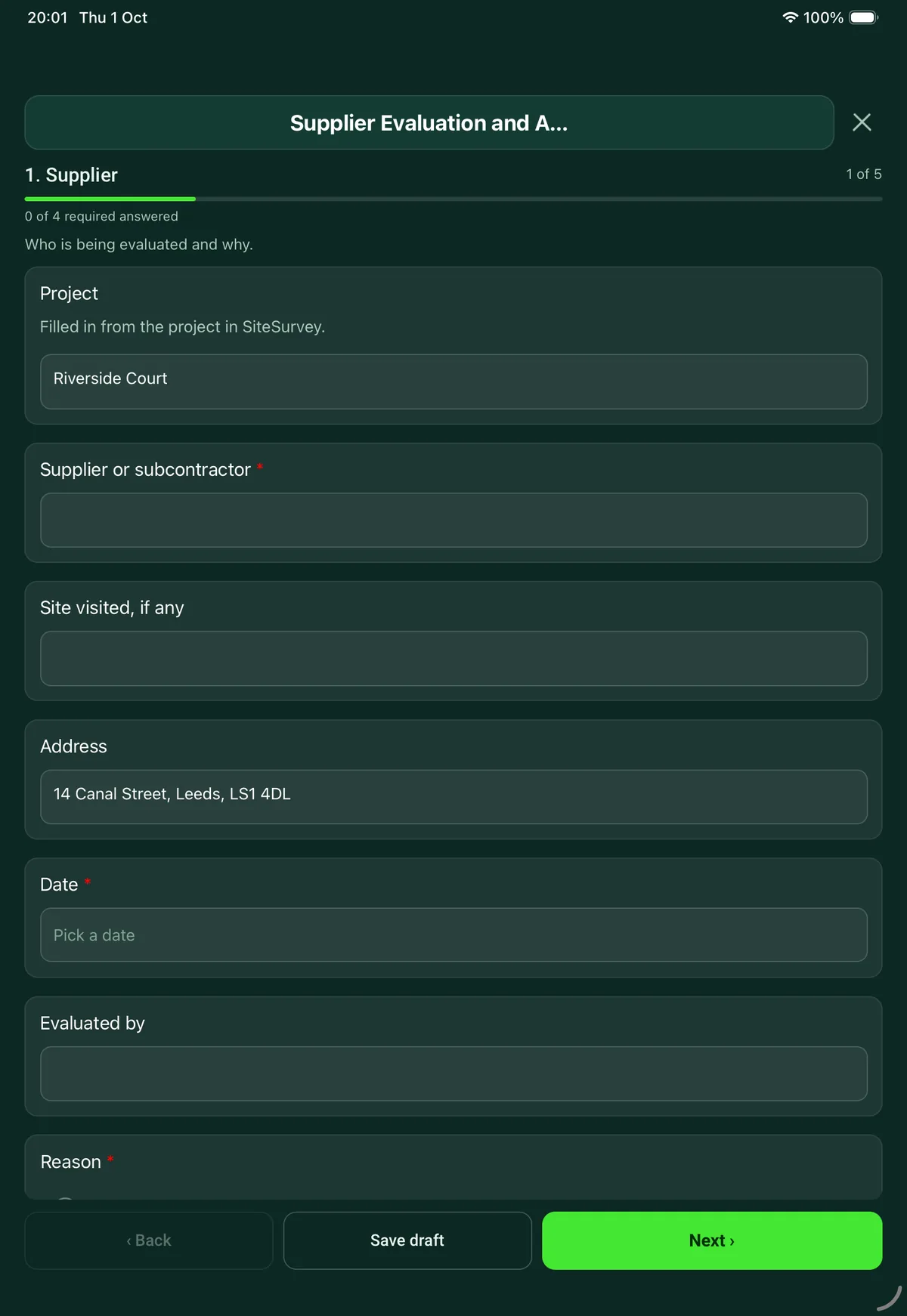
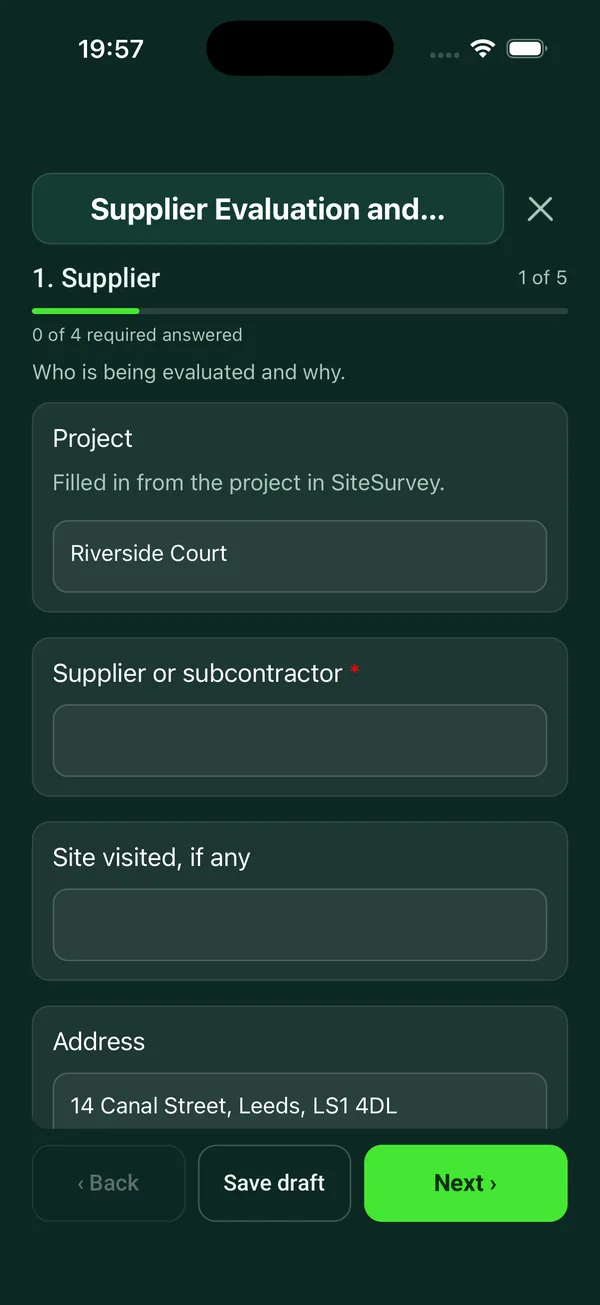
Every question in the supplier evaluation template
Approve or re-evaluate a supplier or subcontractor: insurance, certificates and competence checks, scored performance, audit findings and a decision with conditions. 5 sections and 41 questions. Follow-up questions and guidance appear only when an answer calls for them, so the person on site never sees the ones that do not apply.
Make it your own: every question is editable
This is a starting point, not a fixed form. Once it is in your SiteSurvey account you can reword any question, add or remove questions, sections and answer options, and add your own logo, so it fits the way your team works and the jobs you do.
Details you only enter once
Add this form to a project in SiteSurvey and it fills in what the project already knows, so nobody on site retypes it and every form on the job uses the same names. Anything filled in can still be changed.
- Project: the project name
- Site visited, if any: the site, when the form is opened for a space or a product
- Address: the site address, from the space or the project
Supplier
Who is being evaluated and why.
- ProjectShort answer
Filled in from the project in SiteSurvey.
Fills in from the project name - Supplier or subcontractor*Short answer
- Site visited, if anyShort answerFills in from the site, when the form is opened for a space or a product
- AddressShort answerFills in from the site address, from the space or the project
- Date*Date
- Evaluated byShort answer
- Reason*Choose one
- Approving a new supplier
- Periodic re-evaluation
- Audit at their premises or on site
- After a problem or complaint
- What do they supply or do for you?Notes
- Supplier contactShort answer
Documents and competence
What you saw, not what you were told.
- Employers' and public liability insurance in dateChoose one
- Yes
- No
- Not seen
- Expiry datesShort answerShown when “Employers' and public liability insurance in date” is “Yes”
- Certificates seenTick all that apply
- ISO 9001
- ISO 14001
- ISO 45001
- Trade body or scheme membership
- Safety scheme accreditation
- None
- Other (describe)
- Scheme or certificate names, numbers and expiry datesShort answerShown only when the answers above make it relevant
- Health and safety policy and risk assessmentsChoose one
- Yes
- No
- Not seen
- Training and competence records for the people doing the workChoose one
- Yes
- No
- Not seen
- A way of checking their own work before it reaches youChoose one
- Yes
- No
- Not seen
- References or past work checkedChoose one
- Yes
- No
- Not seen
- Notes and gapsNotes
- Photos of documentsPhotos
Performance scores
Score from 1, poor, to 5, very good.
- Quality of goods or workRating 1 to 5 (Poor to Very good)
- Delivery or attendance on timeRating 1 to 5 (Poor to Very good)
- Price and valueRating 1 to 5 (Poor to Very good)
- Communication and response to problemsRating 1 to 5 (Poor to Very good)
- Paperwork: certificates, records, invoicesRating 1 to 5 (Poor to Very good)
- Health, safety and environmentRating 1 to 5 (Poor to Very good)
- Score out of 30Worked out by the formShown when “Quality of goods or work” is answered and “Delivery or attendance on time” is answered and “Price and value” is answered and “Communication and response to problems” is answered and “Paperwork: certificates, records, invoices” is answered and “Health, safety and environment” is answered
- Score (%)Worked out by the formShown when “Quality of goods or work” is answered and “Delivery or attendance on time” is answered and “Price and value” is answered and “Communication and response to problems” is answered and “Paperwork: certificates, records, invoices” is answered and “Health, safety and environment” is answered
- GuidanceAs a guide, this form treats 80% or more as approved, 60% to 79% as approved with conditions and under 60% as not approved. The bands are the form's own: set yours to suit what the supplier does for you.
Findings
One entry for each thing the supplier needs to put right.
- Are there findings to raise with the supplier?Yes or No
- FindingsRepeat for each finding. Each one asks:Shown when “Are there findings to raise with the supplier?” is Yes
- Finding*Short answer
- TypeChoose one
- Nonconformity
- Observation
- Improvement suggested
- Action agreedShort answer
- By whenDate
- PhotosPhotos
Decision
Approve, approve with conditions, or not.
- Decision*Choose one
- Approved
- Approved with conditions
- Not approved
- Approved for what goods or work?Short answerShown only when the answers above make it relevant
- Conditions, or reasonsNotesShown only when the answers above make it relevant
- Next evaluation dueDate
- Evaluator nameShort answer
- Evaluator signatureSignature
- Supplier representative, if presentShort answer
- Supplier representative signatureSignature
See it filled in
A completed supplier evaluation report, made by SiteSurvey from a fictional site visit: every answer, the photos, the guidance that applied and the sign-off, ready to send as a PDF.
Supplier evaluation FAQs
How is the supplier scored?
Six areas are scored from 1, poor, to 5, very good: quality of goods or work, delivery or attendance on time, price and value, communication, paperwork, and health, safety and environment. The form works out a score out of 30 and a percentage.
What score means a supplier is approved?
As a guide the form treats 80% or more as approved, 60% to 79% as approved with conditions and under 60% as not approved. Those bands are the form's own, and it says to set yours to suit what the supplier does for you. The decision is made by the evaluator, not by the score.
Does it work for subcontractors as well as suppliers?
Yes. The checks include employers' and public liability insurance, health and safety policy and risk assessments, and training and competence records for the people doing the work, which are the usual pre-qualification questions for a subcontractor. On construction projects, CDM 2015 requires whoever appoints a contractor to take reasonable steps to satisfy themselves the contractor has the skills, knowledge and experience for the work.
Why check employers' liability insurance?
GOV.UK says employers must have employers' liability insurance from an authorised insurer, covering at least £5 million, as soon as they become an employer. The form asks whether it was seen and in date, with the expiry dates, rather than taking the supplier's word for it.
Can it be used as a supplier audit checklist?
Yes. Choose audit at their premises or on site as the reason. Findings are recorded as a nonconformity, an observation or a suggested improvement, each with an agreed action, a date and photos, and the supplier's representative can sign on the device.
How often should suppliers be re-evaluated?
That is for you to set. The form records the date the next evaluation is due, and can also be used after a problem or complaint. In the SiteSurvey app it works offline and syncs when the device is back online, and the record goes out as a PDF or a share link.
Related
Related templates
Templates that go with the supplier evaluation form
Internal audit of a quality, health and safety or environmental management system, a 5S area or a procedure, with findings, corrective actions and sign-off.
Record a non-conformance, contain it, find the root cause with 5 whys, set corrective actions with owners and dates, then verify and close.
Record equipment return authorisation, reported faults, arrival condition and the proposed resolution in one traceable record.
Inspection and test plan for a work package: each check with its acceptance criteria, hold and witness points, who inspects, results, records and release.
Use this supplier evaluation form with your team
Add it from the form library in one click, change any question, and every completed form becomes a branded PDF report.
Start your trial →