POINT 01
Zone and visit context
Film the accessible route and zone reference from a safe position before recording details.
The example ground-floor fit-out zone is shown in a wide view.
Visual inspection library · Construction and handover
Walk the same safe route on each visit. Show work completed, work in progress, an interface and the next constraint with location context.
Hold to record. Keep holding while you film and speak; release to save the clip and its transcribed answer.
Four 9:16 example clips generated in Google Flow. Fictional inspection; no customer site is shown.
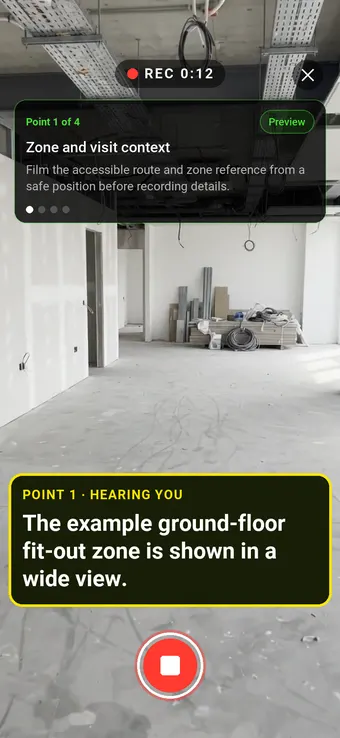
App-style example using Google Flow footage. The animated recording interface and gradually appearing words are scripted; no real inspection or live transcription took place.
The full visual example
Each short clip shows one point in the guided route. The footage is AI-generated and the observations are scripted examples, not findings from a real inspection.
Film the accessible route and zone reference from a safe position before recording details.
The example ground-floor fit-out zone is shown in a wide view.
Show an area the contractor reports complete, retaining surrounding location context.
The fitted wall finish is visible; completion status needs separate verification.
Film only from authorised access, showing current work without approaching active hazards.
An unfinished wall zone is visible in the example.
Locate the junction between work packages and describe the visible item awaiting resolution.
An unfinished junction between finishes is shown; its cause is not established.
Record the project, drawing or zone reference, visit time, stage and safe access limits. Link each clip to one visible area and keep separate programme, cost and quality evidence. The four AI-generated clips illustrate a similar fit-out setting but are independent scenes, not one continuous site visit. This is a visible progress record, not a measured percentage complete, payment valuation, safety inspection, quality sign-off or building-control approval.
Last updated . Facts checked on 9 October 2026 against RICS · Interim valuations and payment and RICS · Recording site status.
A completed visual example
The six-page sample contains four inspection points, twelve footage stills, scripted observations and follow-up actions. The preview shows the first visual-evidence page.
Fictional sample. Footage was generated in Flow and observations are scripted; pages 3–4 contain still frames from all four clips.
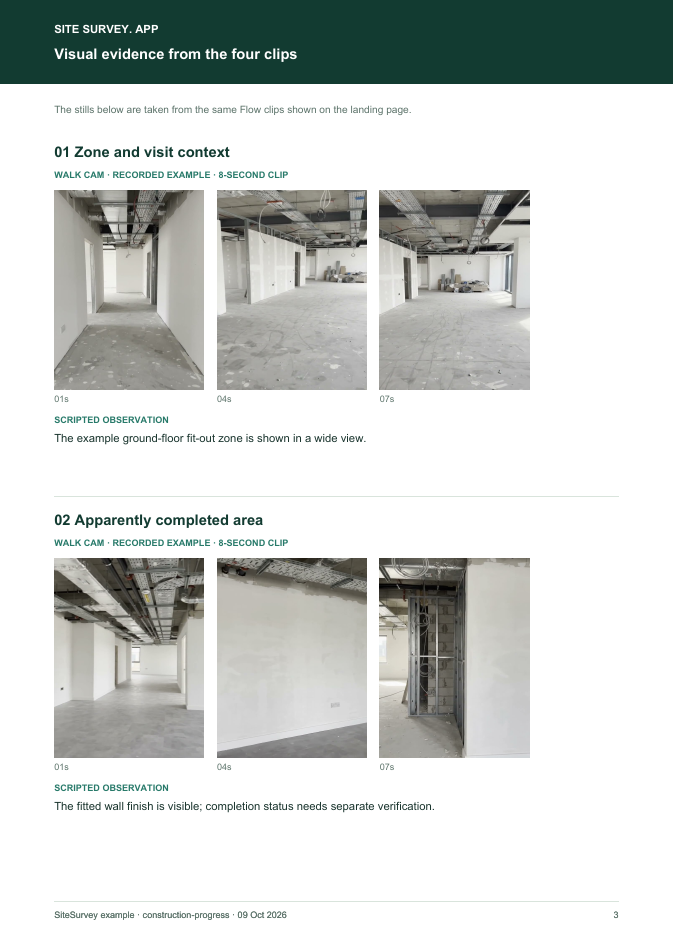 Visual evidence · page 3 of 6 ↗
The guided route
Record the project, drawing or zone reference, visit time, stage and safe access limits. Link each clip to one visible area and keep separate programme, cost and quality evidence. The four AI-generated clips illustrate a similar fit-out setting but are independent scenes, not one continuous site visit.
Film the accessible route and zone reference from a safe position before recording details.
“The example ground-floor fit-out zone is shown in a wide view.”Scripted example, not a real finding.
Show an area the contractor reports complete, retaining surrounding location context.
“The fitted wall finish is visible; completion status needs separate verification.”Scripted example, not a real finding.
Film only from authorised access, showing current work without approaching active hazards.
“An unfinished wall zone is visible in the example.”Scripted example, not a real finding.
Locate the junction between work packages and describe the visible item awaiting resolution.
“An unfinished junction between finishes is shown; its cause is not established.”Scripted example, not a real finding.
How to use the record
Record the asset or site, visit stage, date and inspector. Keep each clip attached to its point and note anything inaccessible.
Say what the camera shows and where it is. Record the next action without guessing the cause or declaring a specialist result from video.
RICS guidance describes site visits and dated, annotated photographs as possible valuation evidence while requiring detailed quantity and document checks separately. RICS · Interim valuations and payment ↗
This is a visible progress record, not a measured percentage complete, payment valuation, safety inspection, quality sign-off or building-control approval.
Questions, answered
No. Quantities, contract scope and supporting records must be assessed separately.
No. Required inspections and reports have their own scope and competent-person requirements.
This route is a repeatable visual walk that links short clips to named site zones and the next action.
Four visible zones, twelve clip stills, scripted observations, follow-up and explicit limitations.
Guidance checked 9 October 2026. The four-point route is a SiteSurvey example, not a method prescribed by these sources.
RICS guidance describes site visits and dated, annotated photographs as possible valuation evidence while requiring detailed quantity and document checks separately.
Advises maintaining accurate progress records and date-stamped photos during site disruption; it does not make a video a completion certificate.
Search research: Keywords Everywhere estimated 590 UK monthly searches for “construction progress report” when checked 9 October 2026. The measured query is broad report intent; demand for a filmed Walk Cam route specifically is unverified. This is not a traffic or conversion forecast.
SiteSurvey Walk Cam explains the product capability. The clips are AI-generated examples.