Form library · Facilities and maintenance
Energy audit checklist
For people reviewing building energy use and improvement options. Record scope and consumption, systems observed and implementation review. Try the form below, see every question or download a blank PDF or Word copy.
Ready to use from the form library, and every question is yours to edit. Trial from £1, cancel any time.
Try it on your phone
Try it on this phone
Fill in the premises energy audit on your phone now
See how the premises energy audit looks on your phone
Scan the code with your phone camera. It opens the real form, no sign-up needed.
Open the live example and fill it in, just as your team would on site. No sign-up needed.
See it on this phoneEvery question is editable. Add this form to your account, then change the wording, add or remove questions and options, and make it fit your own jobs.
Is this an ESOS assessment?
No. ESOS has defined qualification and compliance requirements, including the assessment of energy use and identification of saving opportunities. GOV.UK also provides guidance on implementing opportunities. This walk-through can collect supporting observations, but it does not establish ESOS compliance or replace the required assessment process.
Last updated . Facts checked by the SiteSurvey team on 6 October 2026 against GOV.UK ESOS qualification and compliance and GOV.UK implementing energy saving opportunities.
Try the premises energy audit form live
Answer a few questions and watch it adapt. Your answers are not saved, and any photos you add are deleted within the hour.
This is the real form as your team would use it: questions appear as you answer, scores work themselves out and you can add photos and signatures. No sign-up needed.
Want to see one filled in? See a completed premises energy audit report (PDF), made by SiteSurvey from a fictional site visit.
Fill it in on a phone or tablet
Your team completes the premises energy audit on site in the SiteSurvey app on iPhone, iPad and Android phones and tablets. The project name and address fill in for them, it works without signal, and it syncs when the device is back online with photos kept against the question they answer.
Customers and subcontractors do not need the app: send them a link and they can fill it in from any browser.
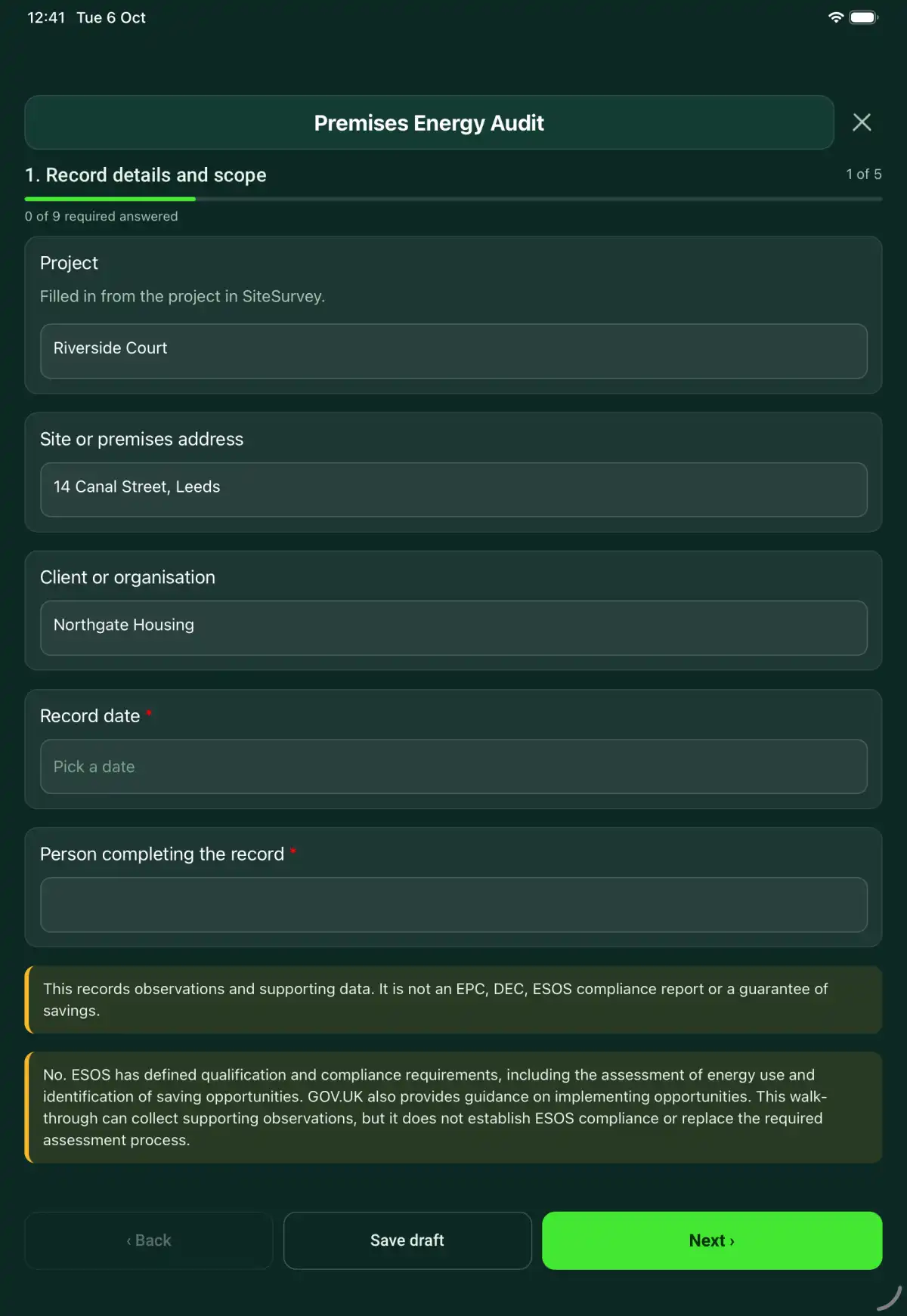
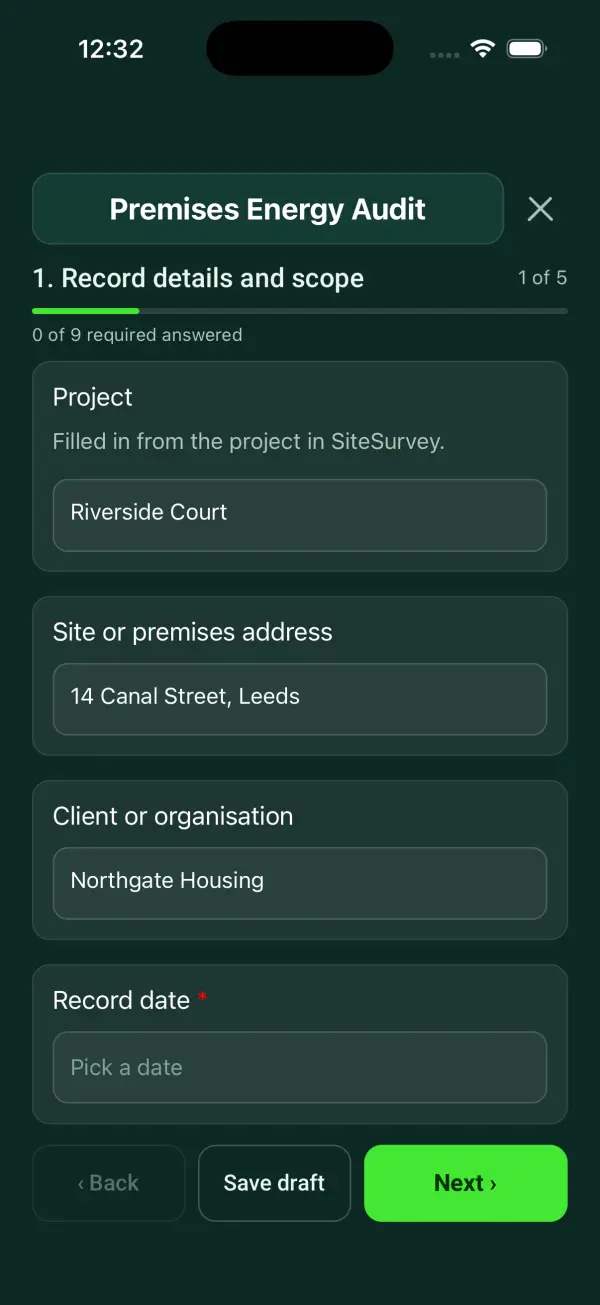
Every question in the premises energy audit template
A premises energy walk-through with consumption evidence, occupancy, plant and controls, observed opportunities, estimates and follow-up ownership. 5 sections and 32 questions. Follow-up questions and guidance appear only when an answer calls for them, so the person on site never sees the ones that do not apply.
Make it your own: every question is editable
This is a starting point, not a fixed form. Once it is in your SiteSurvey account you can reword any question, add or remove questions, sections and answer options, and add your own logo, so it fits the way your team works and the jobs you do.
Details you only enter once
Add this form to a project in SiteSurvey and it fills in what the project already knows, so nobody on site retypes it and every form on the job uses the same names. Anything filled in can still be changed.
- Project: the project name
- Site or premises address: the site address, from the space or the project
- Client or organisation: the project's customer
Record details and scope
- ProjectShort answer
Filled in from the project in SiteSurvey.
Fills in from the project name - Site or premises addressShort answerFills in from the site address, from the space or the project
- Client or organisationShort answerFills in from the project's customer
- Record date*Date
- Person completing the record*Short answer
- CheckThis records observations and supporting data. It is not an EPC, DEC, ESOS compliance report or a guarantee of savings.
- CheckNo. ESOS has defined qualification and compliance requirements, including the assessment of energy use and identification of saving opportunities. GOV.UK also provides guidance on implementing opportunities. This walk-through can collect supporting observations, but it does not establish ESOS compliance or replace the required assessment process.
Scope and consumption
- Walk Cam: energy walk-roundWalk Cam video with voice-to-text
Optional. Film a guided walk-through on the SiteSurvey app.
- Buildings and systems included*Notes
- Consumption-data periodShort answer
- Meter, bill or monitoring data references and units*Notes
- Occupancy and operating hoursNotes
- Missing data and seasonal limitationsNotes
Systems observed
- System or areaRepeat for each system or area. Each one asks:
- System, area and asset reference*Short answer
- Operating hours, settings and observed useNotes
- Potential improvement and supporting evidence*Notes
- Estimated saving, units and calculation reference if availableShort answer
- Assumptions, dependencies and need for specialist assessmentNotes
- Supporting photosPhotos
Implementation review
- Opportunities selected for further assessmentNotes
- Comfort, safety, maintenance and operational constraintsNotes
- Baseline and proposed verification methodShort answer
Define the comparison period and changes in occupancy or operation. An estimated saving needs its assumptions and verification method.
- Person coordinating follow-upShort answer
Actions and review
- Are further actions required?*Choose one
- Yes
- No
- Further actionRepeat for each further action. Each one asks:Shown when “Are further actions required?” is “Yes”
- Action and evidence reference*Notes
- Person responsible*Short answer
- Target dateDate
- Action status*Choose one
- Open
- In progress
- Completed
- Completion evidence*NotesShown when “Action status” is “Completed”
- Outstanding limitations and information to pass onNotes
- Record status*Choose one
- Ready for review
- Further work needed
- Work or use stopped
- Reviewed byShort answer
- Review dateDate
- Author signature*Signature
- CheckSigning records the information entered. It does not itself certify legal compliance, remove a limitation or authorise unsafe work.
Scope and responsibility
This records observations and supporting data. It is not an EPC, DEC, ESOS compliance report or a guarantee of savings.
What a useful entry looks like
Baseline and proposed verification method
Define the comparison period and changes in occupancy or operation. An estimated saving needs its assumptions and verification method.
Baseline uses the previous 12 monthly electricity bills. The additional evening shift introduced in September must be considered when comparing results.
Fictional example of record wording. Use the actual evidence and approved arrangements for your job; this is not a completed report or an instruction to carry out the work.
See it filled in
A completed premises energy audit report, made by SiteSurvey from a fictional site visit: every answer, the photos, the guidance that applied and the sign-off, ready to send as a PDF.
Premises Energy Audit FAQs
How should I record “Baseline and proposed verification method”?
Define the comparison period and changes in occupancy or operation. An estimated saving needs its assumptions and verification method.
Does the form calculate savings?
No. Enter an estimate only with its units, assumptions and calculation reference. The form does not validate the estimate.
Can I use it without a year of meter data?
You can record observations, but state the period and missing information. Do not present a short visit as a complete annual energy assessment.
Does it cover operational constraints?
Yes. Record comfort, safety, maintenance and operational requirements before deciding whether an opportunity is suitable.
What are the limits of this template?
This records observations and supporting data. It is not an EPC, DEC, ESOS compliance report or a guarantee of savings.
Can I complete this form on site and share the record?
In the SiteSurvey app the form works offline, with photos and signatures recorded against the questions. Share the completed record as a PDF or a link. Dates and action owners are recorded fields; this form does not send reminders or update other systems.
Related
Related templates
Templates that go with the premises energy audit form
A thermal imaging record linking image references, camera settings, operating conditions, measured temperatures, interpretation and survey limitations.
A solar installation survey recording roof observations, shading, access, electrical interfaces, design information gaps and specialist review needs.
A solar PV maintenance record with array identification, safe access, visible module and cable condition, inverter information and specialist test references.
Use this premises energy audit form with your team
Add it from the form library in one click, change any question, and every completed form becomes a branded PDF report.
Start your trial →