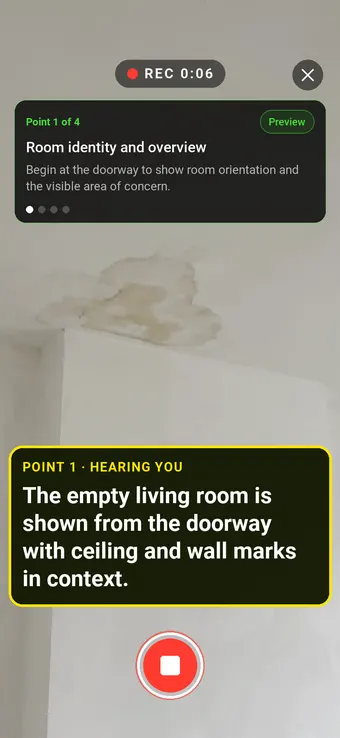
Show the room before the mark. Move from a wide view to the ceiling, wall and floor so a reviewer can locate visible damage without guessing its cause.
Hold to record. Keep holding while you film and speak; release to save the clip and its transcribed answer.
Four 9:16 example clips generated in Google Flow. Fictional inspection; no customer site is shown.
App-style example using Google Flow footage. The animated recording interface and gradually appearing words are scripted; no real inspection or live transcription took place.
The full visual example
Watch all four inspection points.
Each short clip shows one point in the guided route. The footage is AI-generated and the observations are scripted examples, not findings from a real inspection.
POINT 01
Room identity and overview
Begin at the doorway to show room orientation and the visible area of concern. Record the property and room reference separately.
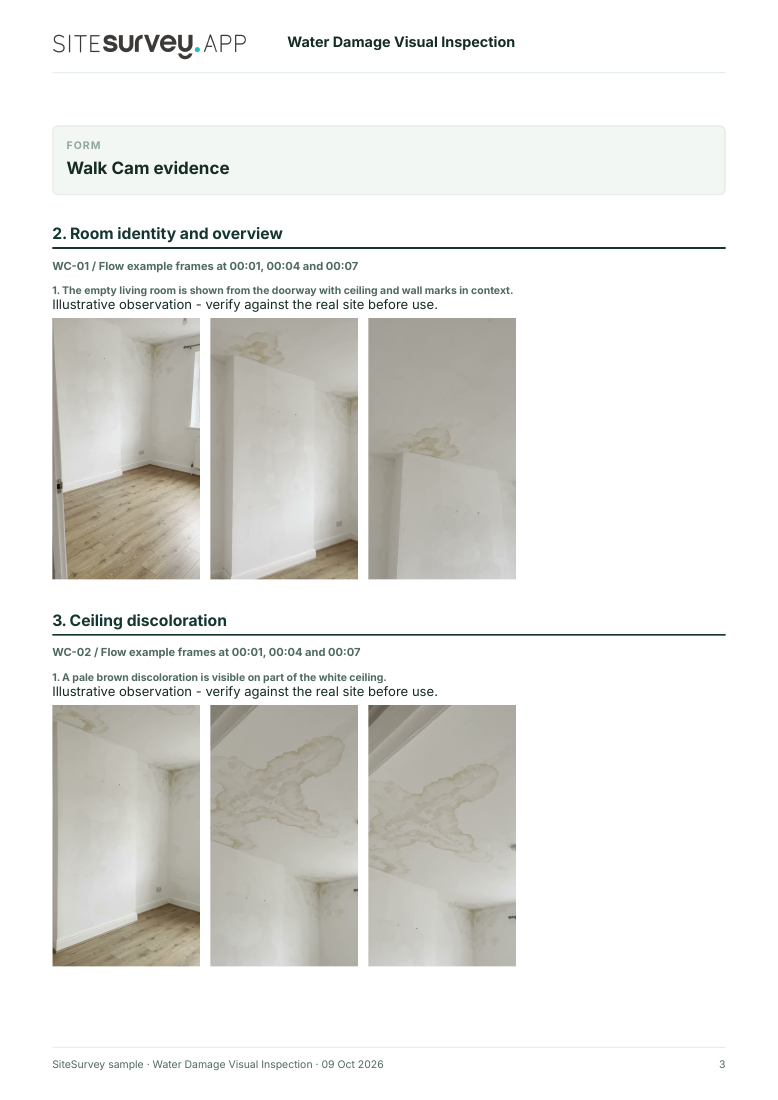
The empty living room is shown from the doorway with ceiling and wall marks in context.
POINT 02
Ceiling discoloration
Hold a steady view of visible ceiling marks with adjacent unaffected area. Do not infer the water source or current moisture level.
A pale brown discoloration is visible on part of the white ceiling.
POINT 03
Adjacent wall finish
Show the wall beneath or beside the ceiling mark and identify its position. Record a visible change without diagnosing the material.
An altered rectangular finish patch is visible on the upper wall beneath the marked ceiling edge; its cause is not established.
POINT 04
Floor and final context
Show accessible skirting and flooring from a safe position, then return to a context view. Note anything concealed or inaccessible.
The accessible floor and skirting are shown in context; hidden condition is not established.
What can a water damage visual inspection record?
Record the property, room, reported incident and visit date. Film the whole room before close views of visible staining or changed finishes, and note items or areas you cannot safely access. Preserve original clips and arrange appropriate professional investigation. A phone video records appearance at one time. It cannot establish the water source, hidden moisture, contamination, electrical safety or repair scope. A competent investigation and applicable safety process remain necessary.
The six-page sample contains four inspection points, twelve footage stills, scripted observations and follow-up actions. The preview shows the first visual-evidence page.
Record the property, room, reported incident and visit date. Film the whole room before close views of visible staining or changed finishes, and note items or areas you cannot safely access. Preserve original clips and arrange appropriate professional investigation.
01
Room identity and overview
Begin at the doorway to show room orientation and the visible area of concern. Record the property and room reference separately.
Example observation
“The empty living room is shown from the doorway with ceiling and wall marks in context.”
Scripted example, not a real finding.02
Ceiling discoloration
Hold a steady view of visible ceiling marks with adjacent unaffected area. Do not infer the water source or current moisture level.
Example observation
“A pale brown discoloration is visible on part of the white ceiling.”
Scripted example, not a real finding.03
Adjacent wall finish
Show the wall beneath or beside the ceiling mark and identify its position. Record a visible change without diagnosing the material.
Example observation
“An altered rectangular finish patch is visible on the upper wall beneath the marked ceiling edge; its cause is not established.”
Scripted example, not a real finding.04
Floor and final context
Show accessible skirting and flooring from a safe position, then return to a context view. Note anything concealed or inaccessible.
Example observation
“The accessible floor and skirting are shown in context; hidden condition is not established.”
Scripted example, not a real finding.
How to use the record
Make the visual evidence useful.
Identify the visit
Record the asset or site, visit stage, date and inspector. Keep each clip attached to its point and note anything inaccessible.
Describe, then escalate
Say what the camera shows and where it is. Record the next action without guessing the cause or declaring a specialist result from video.
A phone video records appearance at one time. It cannot establish the water source, hidden moisture, contamination, electrical safety or repair scope. A competent investigation and applicable safety process remain necessary.
Questions, answered
Water damage visual inspection FAQs
Can a water-damage video identify the leak source?
No. It can locate visible marks and changes, but the source may be hidden or unrelated to the nearest visible stain.
What should the first clip show?
A wide room view and reference points so a reviewer can locate later close-ups. Record the visit date and room identity in the report.
Does video replace moisture testing?
No. Footage cannot measure moisture within materials or assess hidden damage, contamination or electrical safety.
How does this differ from a damp-and-mould form?
This route records visible condition after a reported water incident for triage and follow-up. The separate form documents a broader investigation and required case details.
Sources and review
Guidance checked 9 October 2026. The four-point route is a SiteSurvey example, not a method prescribed by these sources.
Explains that identifying the cause of moisture can be complex and may need a specialist building survey.
Search research: Keywords Everywhere estimated 720 UK monthly searches for “water damage inspection” when checked 9 October 2026. Searches may seek an emergency restoration service or a specialist moisture survey; validate software intent and overlap with damp-and-mould pages before indexing. This is not a traffic or conversion forecast.
SiteSurvey Walk Cam explains the product capability. The clips are AI-generated examples.