Form library · Health and safety
Telehandler checklist
For telehandler operators checking the recorded configuration. Record equipment and scope, configuration and daily checks. Try the form below, see every question or download a blank PDF or Word copy.
Ready to use from the form library, and every question is yours to edit. Trial from £1, cancel any time.
Try it on your phone
Try it on this phone
Fill in the telehandler daily check on your phone now
See how the telehandler daily check looks on your phone
Scan the code with your phone camera. It opens the real form, no sign-up needed.
Open the live example and fill it in, just as your team would on site. No sign-up needed.
See it on this phoneEvery question is editable. Add this form to your account, then change the wording, add or remove questions and options, and make it fit your own jobs.
How should telehandler checks be organised?
HSE recommends daily visual checks, regular inspections and servicing based on manufacturer instructions and vehicle risks. Pedestrians must be separated from telehandlers. Pre-use checks do not replace examination or lift planning.
Last updated . Facts checked by the SiteSurvey team on 6 October 2026 against HSE telescopic handlers and HSE lifting equipment at work.
Try the telehandler daily check form live
Answer a few questions and watch it adapt. Your answers are not saved, and any photos you add are deleted within the hour.
This is the real form as your team would use it: questions appear as you answer, scores work themselves out and you can add photos and signatures. No sign-up needed.
Want to see one filled in? See a completed telehandler daily check report (PDF), made by SiteSurvey from a fictional site visit.
Fill it in on a phone or tablet
Your team completes the telehandler daily check on site in the SiteSurvey app on iPhone, iPad and Android phones and tablets. The project name and address fill in for them, it works without signal, and it syncs when the device is back online with photos kept against the question they answer.
Customers and subcontractors do not need the app: send them a link and they can fill it in from any browser.
Every question in the telehandler daily check template
A telehandler daily record covering configuration, attachment compatibility, tyres, visibility, stabilisers, approved function checks and defect handover. 6 sections and 41 questions. Follow-up questions and guidance appear only when an answer calls for them, so the person on site never sees the ones that do not apply.
Make it your own: every question is editable
This is a starting point, not a fixed form. Once it is in your SiteSurvey account you can reword any question, add or remove questions, sections and answer options, and add your own logo, so it fits the way your team works and the jobs you do.
Details you only enter once
Add this form to a project in SiteSurvey and it fills in what the project already knows, so nobody on site retypes it and every form on the job uses the same names. Anything filled in can still be changed.
- Project: the project name
- Site or premises address: the site address, from the space or the project
- Client or organisation: the project's customer
- Ground, route and segregation assessment reference: the site, when the form is opened for a space or a product
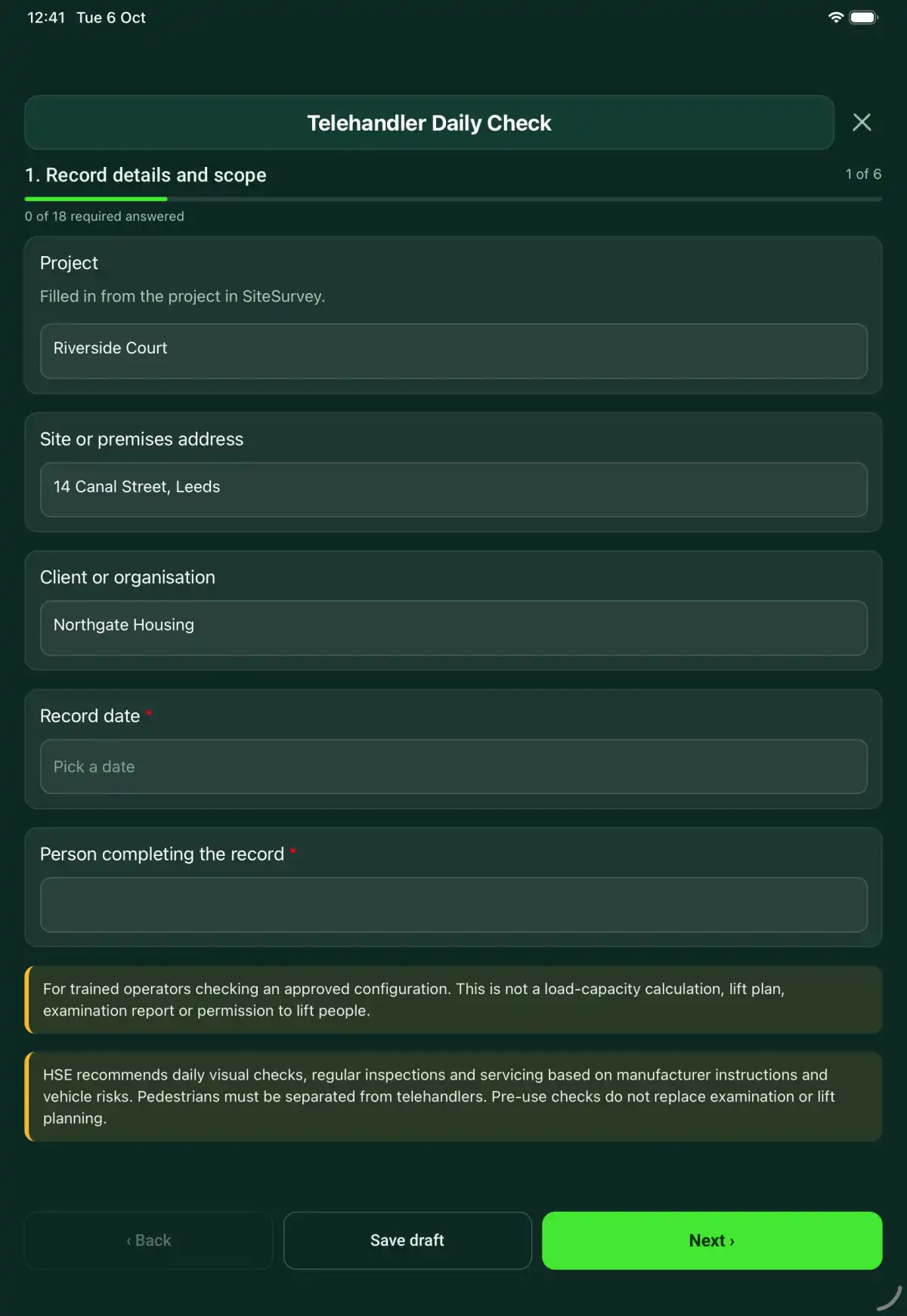
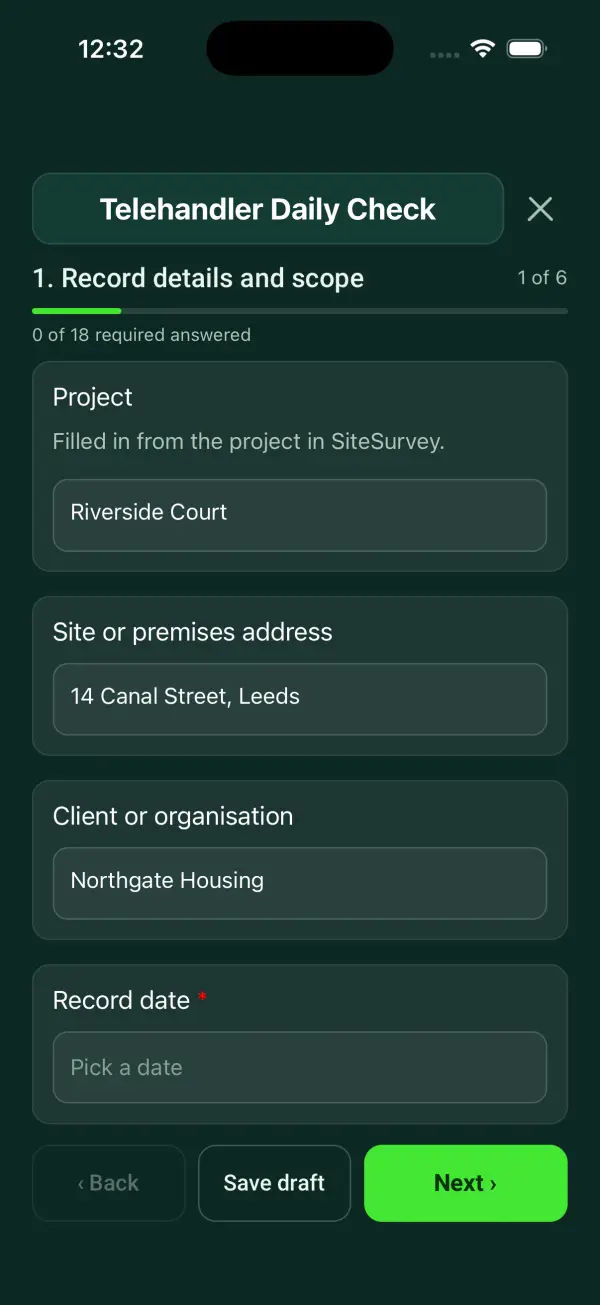
Record details and scope
- ProjectShort answer
Filled in from the project in SiteSurvey.
Fills in from the project name - Site or premises addressShort answerFills in from the site address, from the space or the project
- Client or organisationShort answerFills in from the project's customer
- Record date*Date
- Person completing the record*Short answer
- CheckFor trained operators checking an approved configuration. This is not a load-capacity calculation, lift plan, examination report or permission to lift people.
- CheckHSE recommends daily visual checks, regular inspections and servicing based on manufacturer instructions and vehicle risks. Pedestrians must be separated from telehandlers. Pre-use checks do not replace examination or lift planning.
Equipment and scope
- Telehandler ID, model and location*Short answer
- Scan the machine data plateScan a label: serial number, model number, asset number
Optional. Scan the label or data plate to capture the serial and other numbers.
- Competent person and authorisation*Short answer
- Manufacturer or approved procedure reference*Short answer
- Work or inspection scope and exclusions*Notes
Configuration
- Hours and shiftShort answer
- Attachment ID and compatibility reference*Short answer
- Applicable load chart and configuration*Short answer
Reference the chart or instruction that matches the machine and attachment. Record any mismatch or missing information for review.
- Ground, route and segregation assessment referenceShort answerFills in from the site, when the form is opened for a space or a product
Daily checks
- Tyres, wheels and visible chassis checked*Choose one
- Acceptable
- Action needed
- Not checked
- Not applicable
- Action, limitation or reason not applicable*NotesShown only when the answers above make it relevant
- Boom, attachment and connection checked to instructions*Choose one
- Acceptable
- Action needed
- Not checked
- Not applicable
- Action, limitation or reason not applicable*NotesShown only when the answers above make it relevant
- Hydraulic hoses and visible leaks checked*Choose one
- Acceptable
- Action needed
- Not checked
- Not applicable
- Action, limitation or reason not applicable*NotesShown only when the answers above make it relevant
- Cab access, seat restraint, mirrors and cameras checked*Choose one
- Acceptable
- Action needed
- Not checked
- Not applicable
- Action, limitation or reason not applicable*NotesShown only when the answers above make it relevant
- Stabilisers and level indication checked where fitted*Choose one
- Acceptable
- Action needed
- Not checked
- Not applicable
- Action, limitation or reason not applicable*NotesShown only when the answers above make it relevant
- Controls, warnings and overload devices checked under procedure*Choose one
- Acceptable
- Action needed
- Not checked
- Not applicable
- Action, limitation or reason not applicable*NotesShown only when the answers above make it relevant
Handover
- Use decision*Choose one
- Available within recorded limits
- Restricted use
- Out of service
- Restrictions, isolation and person informed*NotesShown only when the answers above make it relevant
- Repair or follow-up job referenceShort answer
- Condition and defect evidencePhotos
Actions and review
- Are further actions required?*Choose one
- Yes
- No
- Further actionRepeat for each further action. Each one asks:Shown when “Are further actions required?” is “Yes”
- Action and evidence reference*Notes
- Person responsible*Short answer
- Target dateDate
- Action status*Choose one
- Open
- In progress
- Completed
- Completion evidence*NotesShown when “Action status” is “Completed”
- Outstanding limitations and information to pass onNotes
- Record status*Choose one
- Ready for review
- Further work needed
- Work or use stopped
- Reviewed byShort answer
- Review dateDate
- Author signature*Signature
- CheckSigning records the information entered. It does not itself certify legal compliance, remove a limitation or authorise unsafe work.
Scope and responsibility
For trained operators checking an approved configuration. This is not a load-capacity calculation, lift plan, examination report or permission to lift people.
What a useful entry looks like
Applicable load chart and configuration
Reference the chart or instruction that matches the machine and attachment. Record any mismatch or missing information for review.
Machine TH-02 and attachment AT-05 identified. Applicable chart reference recorded; configuration questions are referred before the intended operation.
Fictional example of record wording. Use the actual evidence and approved arrangements for your job; this is not a completed report or an instruction to carry out the work.
See it filled in
A completed telehandler daily check report, made by SiteSurvey from a fictional site visit: every answer, the photos, the guidance that applied and the sign-off, ready to send as a PDF.
Telehandler Daily Check FAQs
How should I record “Applicable load chart and configuration”?
Reference the chart or instruction that matches the machine and attachment. Record any mismatch or missing information for review.
Does this determine the permitted load?
No. Use the correct manufacturer load chart for the attachment and configuration.
Can it authorise a personnel platform?
No. Personnel lifting needs separately established suitability, planning and controls.
How does it differ from a forklift check?
It records boom configuration, attachment compatibility, load-chart references and stabilisers where fitted.
What are the limits of this template?
For trained operators checking an approved configuration. This is not a load-capacity calculation, lift plan, examination report or permission to lift people.
Can I complete this form on site and share the record?
In the SiteSurvey app the form works offline, with photos and signatures recorded against the questions. Share the completed record as a PDF or a link. Dates and action owners are recorded fields; this form does not send reminders or update other systems.
Related
Related templates
Templates that go with the telehandler daily check form
A crane operator pre-use record covering machine identification, manufacturer checks, visible condition, safety devices, defects and handover.
A lifting accessory pre-use record with identification, capacity markings, examination references, condition findings, quarantine and handover details.
A MEWP pre-use record with machine and operator details, visual and functional checks, operating-area constraints, rescue arrangements and defects.
Lift plan for a crane or other lifting operation: the load, equipment and capacity, accessories, ground and site hazards, the lifting team, sequence and briefing.
Use this telehandler daily check form with your team
Add it from the form library in one click, change any question, and every completed form becomes a branded PDF report.
Start your trial →