Form library · Facilities and maintenance
CCTV drain survey report
For people recording drain-survey observations and interpretation. Record survey brief, pipe runs and observations. Try the form below, see every question or download a blank PDF or Word copy.
Ready to use from the form library, and every question is yours to edit. Trial from £1, cancel any time.
Try it on your phone
Try it on this phone
Fill in the CCTV drain survey record on your phone now
See how the CCTV drain survey record looks on your phone
Scan the code with your phone camera. It opens the real form, no sign-up needed.
Open the live example and fill it in, just as your team would on site. No sign-up needed.
See it on this phoneEvery question is editable. Add this form to your account, then change the wording, add or remove questions and options, and make it fit your own jobs.
What does standard drain coding require?
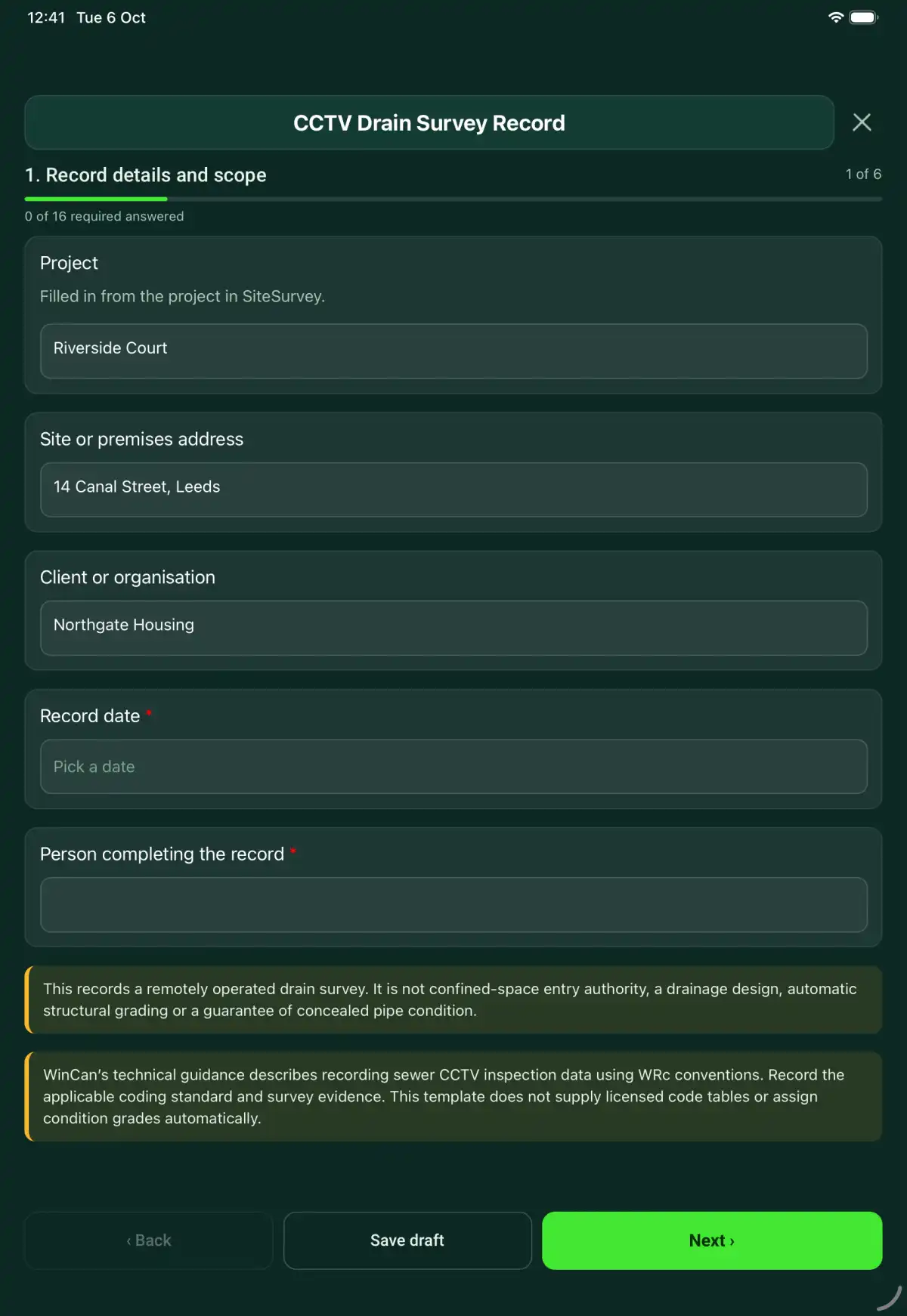
WinCan’s technical guidance describes recording sewer CCTV inspection data using WRc conventions. Record the applicable coding standard and survey evidence. This template does not supply licensed code tables or assign condition grades automatically.
Last updated . Facts checked by the SiteSurvey team on 6 October 2026 against WinCan guidance on WRc CCTV inspection data and HSE confined spaces brief guide.
Try the CCTV drain survey record form live
Answer a few questions and watch it adapt. Your answers are not saved, and any photos you add are deleted within the hour.
This is the real form as your team would use it: questions appear as you answer, scores work themselves out and you can add photos and signatures. No sign-up needed.
Want to see one filled in? See a completed CCTV drain survey record report (PDF), made by SiteSurvey from a fictional site visit.
Fill it in on a phone or tablet
Your team completes the cctv drain survey record on site in the SiteSurvey app on iPhone, iPad and Android phones and tablets. The project name and address fill in for them, it works without signal, and it syncs when the device is back online with photos kept against the question they answer.
Customers and subcontractors do not need the app: send them a link and they can fill it in from any browser.
Every question in the CCTV drain survey record template
A CCTV drain survey record linking pipe runs, access points, footage, chainage, observed defects, survey limits and recommendations for further review. 6 sections and 35 questions. Follow-up questions and guidance appear only when an answer calls for them, so the person on site never sees the ones that do not apply.
Make it your own: every question is editable
This is a starting point, not a fixed form. Once it is in your SiteSurvey account you can reword any question, add or remove questions, sections and answer options, and add your own logo, so it fits the way your team works and the jobs you do.
Details you only enter once
Add this form to a project in SiteSurvey and it fills in what the project already knows, so nobody on site retypes it and every form on the job uses the same names. Anything filled in can still be changed.
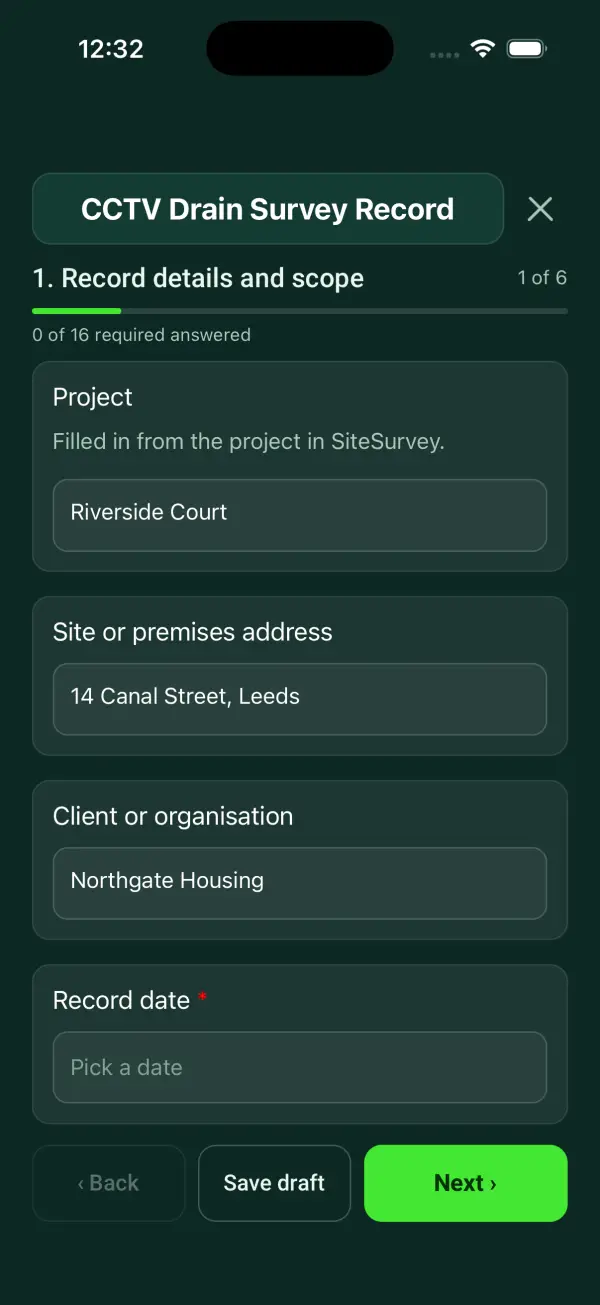
- Project: the project name
- Site or premises address: the site address, from the space or the project
- Client or organisation: the project's customer
Record details and scope
- ProjectShort answer
Filled in from the project in SiteSurvey.
Fills in from the project name - Site or premises addressShort answerFills in from the site address, from the space or the project
- Client or organisationShort answerFills in from the project's customer
- Record date*Date
- Person completing the record*Short answer
- CheckThis records a remotely operated drain survey. It is not confined-space entry authority, a drainage design, automatic structural grading or a guarantee of concealed pipe condition.
- CheckWinCan’s technical guidance describes recording sewer CCTV inspection data using WRc conventions. Record the applicable coding standard and survey evidence. This template does not supply licensed code tables or assign condition grades automatically.
Survey brief
- Survey purpose and agreed extent*Short answer
- Operator and training reference*Short answer
- Camera and distance-measurement check reference*Short answer
- Applicable coding standard and editionShort answer
- Access permissions, safe method and restrictions*Notes
Pipe runs
- Pipe runRepeat for each pipe run. Each one asks:
- Run ID and upstream/downstream access points*Short answer
- Diameter, material and apparent useShort answer
- Survey direction and start reference*Short answer
- Video file reference*Short answer
- Surveyed length and unitShort answer
- Obstruction, water level, visibility and unsurveyed extent*Notes
Observations
- ObservationRepeat for each observation. Each one asks:
- Run ID*Short answer
- Chainage, unit and video time reference*Short answer
- Code under the stated standard where usedShort answer
- Observed defect and extent*Notes
- Referenced still imagesPhotos
Interpretation
- Cleaning, further survey or specialist review recommendationsNotes
- Separate assessed condition report reference where providedShort answer
State the coding method and competence behind any grading. Separate the visual observation from the recommendation.
- Competent reviewerShort answer
Actions and review
- Are further actions required?*Choose one
- Yes
- No
- Further actionRepeat for each further action. Each one asks:Shown when “Are further actions required?” is “Yes”
- Action and evidence reference*Notes
- Person responsible*Short answer
- Target dateDate
- Action status*Choose one
- Open
- In progress
- Completed
- Completion evidence*NotesShown when “Action status” is “Completed”
- Outstanding limitations and information to pass onNotes
- Record status*Choose one
- Ready for review
- Further work needed
- Work or use stopped
- Reviewed byShort answer
- Review dateDate
- Author signature*Signature
- CheckSigning records the information entered. It does not itself certify legal compliance, remove a limitation or authorise unsafe work.
Scope and responsibility
This records a remotely operated drain survey. It is not confined-space entry authority, a drainage design, automatic structural grading or a guarantee of concealed pipe condition.
What a useful entry looks like
Separate assessed condition report reference where provided
State the coding method and competence behind any grading. Separate the visual observation from the recommendation.
Observation at the recorded chainage is linked to the survey footage. Any grading references the agreed coding method and named reviewer.
Fictional example of record wording. Use the actual evidence and approved arrangements for your job; this is not a completed report or an instruction to carry out the work.
See it filled in
A completed CCTV drain survey record report, made by SiteSurvey from a fictional site visit: every answer, the photos, the guidance that applied and the sign-off, ready to send as a PDF.
CCTV Drain Survey Record FAQs
How should I record “Separate assessed condition report reference where provided”?
State the coding method and competence behind any grading. Separate the visual observation from the recommendation.
Does it automatically grade a pipe?
No. Coding and condition grading require the stated standard and competent interpretation.
Can a blocked run be marked fully surveyed?
No. Record the distance reached, obstruction and remaining unsurveyed extent.
Can someone enter a chamber under this form?
No. This record provides no entry authority or rescue arrangements.
What are the limits of this template?
This records a remotely operated drain survey. It is not confined-space entry authority, a drainage design, automatic structural grading or a guarantee of concealed pipe condition.
Can I complete this form on site and share the record?
In the SiteSurvey app the form works offline, with photos and signatures recorded against the questions. Share the completed record as a PDF or a link. Dates and action owners are recorded fields; this form does not send reminders or update other systems.
Related
Related templates
Templates that go with the CCTV drain survey record form
Use this CCTV drain survey record form with your team
Add it from the form library in one click, change any question, and every completed form becomes a branded PDF report.
Start your trial →