Form library · Quality and compliance
Calibration record template
For people reviewing calibration or verification evidence. Record instrument and method, evidence and results and disposition. Try the form below, see every question or download a blank PDF or Word copy.
Ready to use from the form library, and every question is yours to edit. Trial from £1, cancel any time.
Try it on your phone
Try it on this phone
Fill in the calibration and verification record on your phone now
See how the calibration and verification record looks on your phone
Scan the code with your phone camera. It opens the real form, no sign-up needed.
Open the live example and fill it in, just as your team would on site. No sign-up needed.
See it on this phoneEvery question is editable. Add this form to your account, then change the wording, add or remove questions and options, and make it fit your own jobs.
What does an accredited calibration establish?
UKAS assesses calibration laboratories for competence within their accredited scope. Check the relevant scope and issued certificate. An internal record linking results is not itself an accredited calibration certificate.
Last updated . Facts checked by the SiteSurvey team on 6 October 2026 against UKAS calibration laboratory accreditation and UKAS find an accredited organisation.
Try the calibration and verification record form live
Answer a few questions and watch it adapt. Your answers are not saved, and any photos you add are deleted within the hour.
This is the real form as your team would use it: questions appear as you answer, scores work themselves out and you can add photos and signatures. No sign-up needed.
Want to see one filled in? See a completed calibration and verification record report (PDF), made by SiteSurvey from a fictional site visit.
Fill it in on a phone or tablet
Your team completes the calibration and verification record on site in the SiteSurvey app on iPhone, iPad and Android phones and tablets. The project name and address fill in for them, it works without signal, and it syncs when the device is back online with photos kept against the question they answer.
Customers and subcontractors do not need the app: send them a link and they can fill it in from any browser.
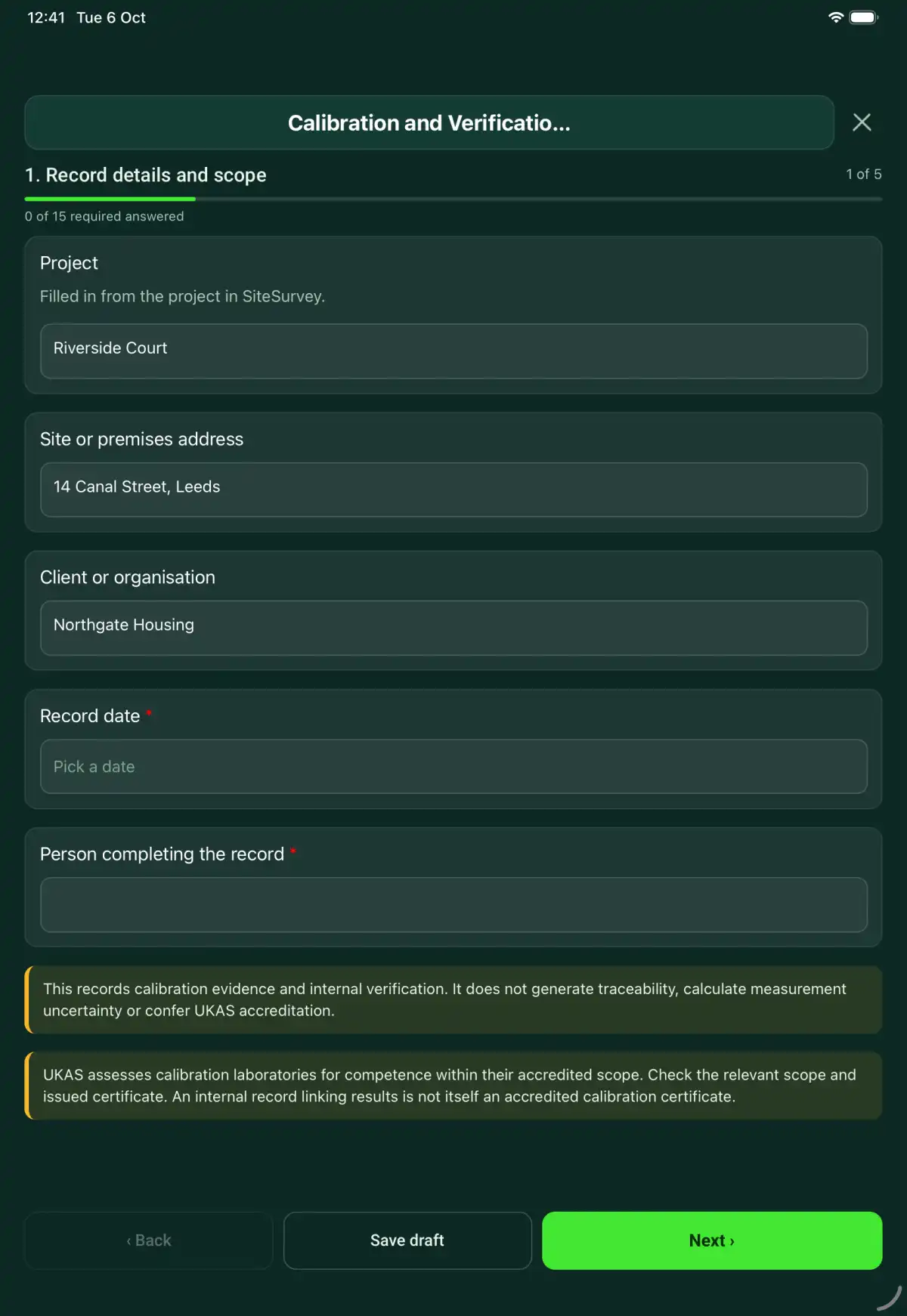
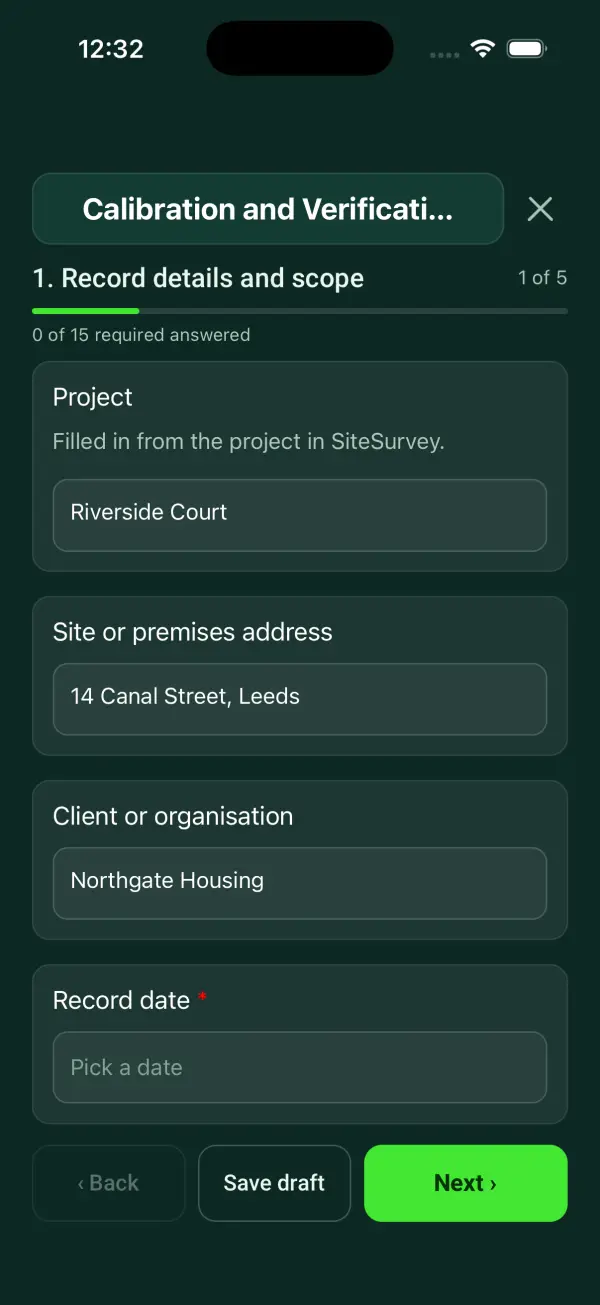
Every question in the calibration and verification record template
A measurement-equipment record linking instrument identity, calibration certificates, check results, acceptance decisions and out-of-tolerance follow-up. 5 sections and 36 questions. Follow-up questions and guidance appear only when an answer calls for them, so the person on site never sees the ones that do not apply.
Make it your own: every question is editable
This is a starting point, not a fixed form. Once it is in your SiteSurvey account you can reword any question, add or remove questions, sections and answer options, and add your own logo, so it fits the way your team works and the jobs you do.
Details you only enter once
Add this form to a project in SiteSurvey and it fills in what the project already knows, so nobody on site retypes it and every form on the job uses the same names. Anything filled in can still be changed.
- Project: the project name
- Site or premises address: the site address, from the space or the project
- Client or organisation: the project's customer
Record details and scope
- ProjectShort answer
Filled in from the project in SiteSurvey.
Fills in from the project name - Site or premises addressShort answerFills in from the site address, from the space or the project
- Client or organisationShort answerFills in from the project's customer
- Record date*Date
- Person completing the record*Short answer
- CheckThis records calibration evidence and internal verification. It does not generate traceability, calculate measurement uncertainty or confer UKAS accreditation.
- CheckUKAS assesses calibration laboratories for competence within their accredited scope. Check the relevant scope and issued certificate. An internal record linking results is not itself an accredited calibration certificate.
Instrument and method
- Instrument ID, model and serial number*Short answer
- Scan the instrument labelScan a label: serial number, model number, asset number
Optional. Scan the label or data plate to capture the serial and other numbers.
- Measurement range and intended use*Short answer
- Calibration or verification method reference*Short answer
- Provider and relevant accreditation scope referenceShort answer
Evidence and results
- Issued certificate, date and revision*Short answer
- Reference standard and traceability recordShort answer
- Environmental conditions and method limitationsNotes
- Measurement pointRepeat for each measurement point. Each one asks:
- Measurement point and parameter*Short answer
- Actual result and unit*Short answer
- Acceptance criterion and source*Short answer
- Instrument and calibration referenceShort answer
- Comparison*Choose one
- Within criterion
- Outside criterion
- Unable to assess
- Exception and response*NotesShown only when the answers above make it relevant
- Reported uncertainty and certificate referenceShort answer
Disposition
- Instrument disposition*Choose one
- Accepted for stated use
- Restricted use
- Quarantined
- Out-of-tolerance impact, affected prior measurements and action*NotesShown only when the answers above make it relevant
- Acceptance basis and decision rule*Short answer
Identify how the acceptance decision accounts for the specified requirement and measurement uncertainty. Record the agreed rule rather than assuming one.
- Next review or calibration due dateDate
- Status label and responsible ownerShort answer
Actions and review
- Are further actions required?*Choose one
- Yes
- No
- Further actionRepeat for each further action. Each one asks:Shown when “Are further actions required?” is “Yes”
- Action and evidence reference*Notes
- Person responsible*Short answer
- Target dateDate
- Action status*Choose one
- Open
- In progress
- Completed
- Completion evidence*NotesShown when “Action status” is “Completed”
- Outstanding limitations and information to pass onNotes
- Record status*Choose one
- Ready for review
- Further work needed
- Work or use stopped
- Reviewed byShort answer
- Review dateDate
- Author signature*Signature
- CheckSigning records the information entered. It does not itself certify legal compliance, remove a limitation or authorise unsafe work.
Scope and responsibility
This records calibration evidence and internal verification. It does not generate traceability, calculate measurement uncertainty or confer UKAS accreditation.
What a useful entry looks like
Acceptance basis and decision rule
Identify how the acceptance decision accounts for the specified requirement and measurement uncertainty. Record the agreed rule rather than assuming one.
Decision rule referenced to quality procedure QP-08. Certificate uncertainty and the instrument's intended range are available to the authorised reviewer.
Fictional example of record wording. Use the actual evidence and approved arrangements for your job; this is not a completed report or an instruction to carry out the work.
See it filled in
A completed calibration and verification record report, made by SiteSurvey from a fictional site visit: every answer, the photos, the guidance that applied and the sign-off, ready to send as a PDF.
Calibration and Verification Record FAQs
How should I record “Acceptance basis and decision rule”?
Identify how the acceptance decision accounts for the specified requirement and measurement uncertainty. Record the agreed rule rather than assuming one.
Is calibration the same as adjustment?
No. Record any adjustment separately and retain the before-and-after evidence where supplied.
Does the due date create a reminder?
No. It is a recorded date for your equipment-management process.
What happens if an instrument is outside tolerance?
Record restrictions or quarantine, assess the impact on previous work and document the responsible decision.
What are the limits of this template?
This records calibration evidence and internal verification. It does not generate traceability, calculate measurement uncertainty or confer UKAS accreditation.
Can I complete this form on site and share the record?
In the SiteSurvey app the form works offline, with signatures recorded against the questions. Share the completed record as a PDF or a link. Dates and action owners are recorded fields; this form does not send reminders or update other systems.
Related
Related templates
Templates that go with the calibration and verification record form
A factory acceptance test record linking equipment, approved test procedures, witnessed results, deviations, retests and dispatch decisions.
A site acceptance test record linking installed equipment, approved test cases, expected results, observed evidence, deviations and acceptance decisions.
A first article inspection record with part and drawing revisions, material traceability, characteristic measurements, deviations and customer disposition.
Use this calibration and verification record form with your team
Add it from the form library in one click, change any question, and every completed form becomes a branded PDF report.
Start your trial →