Form library · Food safety
Allergen matrix template
For food businesses maintaining ingredient and allergen information. Record menu and evidence, dishes and communication and changes. Try the form below, see every question or download a blank PDF or Word copy.
Ready to use from the form library, and every question is yours to edit. Trial from £1, cancel any time.
Try it on your phone
Try it on this phone
Fill in the allergen matrix and review on your phone now
See how the allergen matrix and review looks on your phone
Scan the code with your phone camera. It opens the real form, no sign-up needed.
Open the live example and fill it in, just as your team would on site. No sign-up needed.
See it on this phoneEvery question is editable. Add this form to your account, then change the wording, add or remove questions and options, and make it fit your own jobs.
What is the difference between allergen duties and written-information guidance?
Food businesses must provide required allergen information. FSA guidance distinguishes the rules for different food presentations and sales channels from best practice for non-prepacked food. Written information supported by a conversation is recommended for non-prepacked food; a matrix alone is not a complete labelling or food-safety system.
Last updated . Facts checked by the SiteSurvey team on 6 October 2026 against FSA allergen guidance for food businesses and FSA best practice for non-prepacked allergen information.
Try the allergen matrix and review form live
Answer a few questions and watch it adapt. Your answers are not saved, and any photos you add are deleted within the hour.
This is the real form as your team would use it: questions appear as you answer, scores work themselves out and you can add photos and signatures. No sign-up needed.
Want to see one filled in? See a completed allergen matrix and review report (PDF), made by SiteSurvey from a fictional site visit.
Fill it in on a phone or tablet
Your team completes the allergen matrix and review on site in the SiteSurvey app on iPhone, iPad and Android phones and tablets. The project name and address fill in for them, it works without signal, and it syncs when the device is back online with photos kept against the question they answer.
Customers and subcontractors do not need the app: send them a link and they can fill it in from any browser.
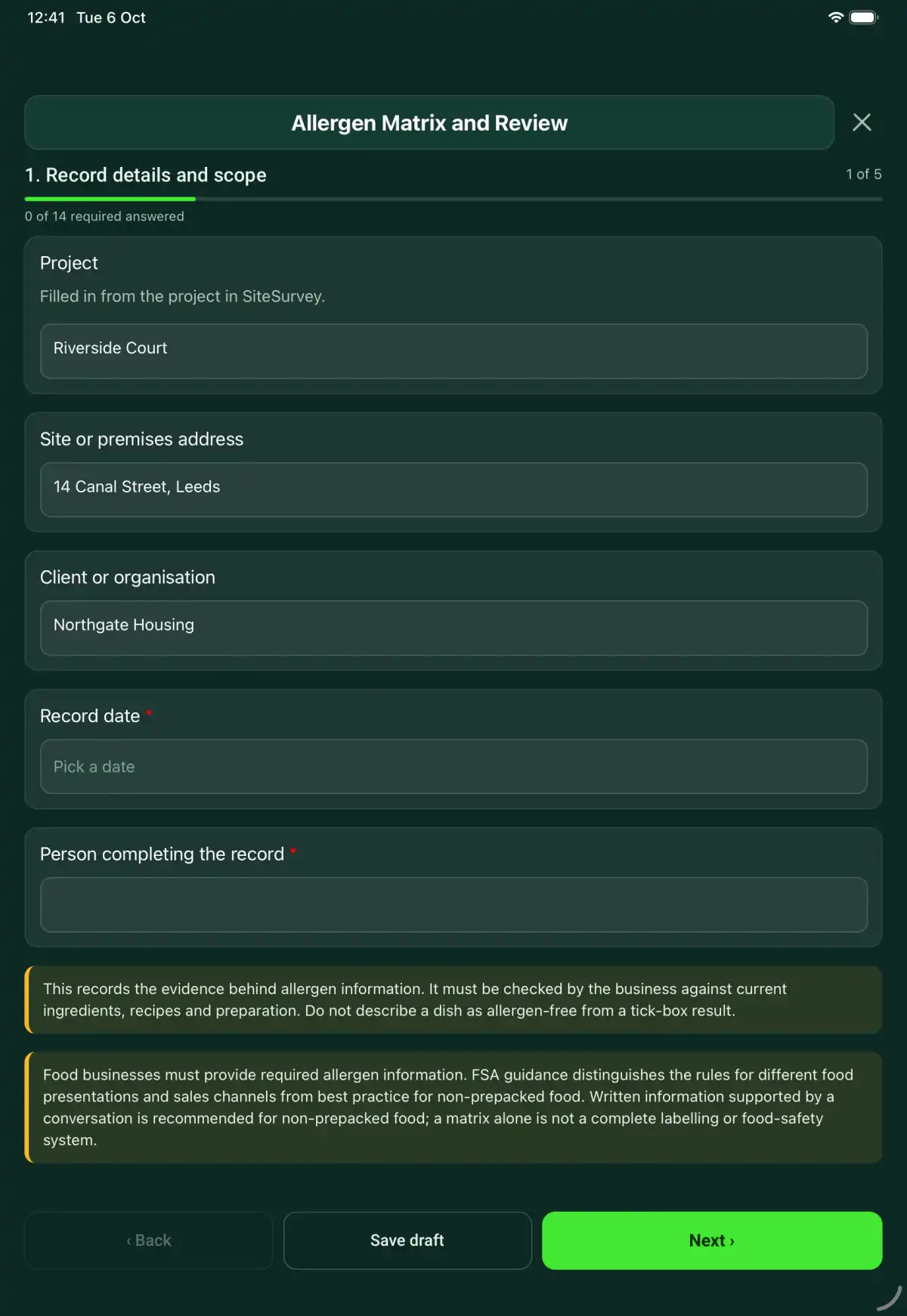
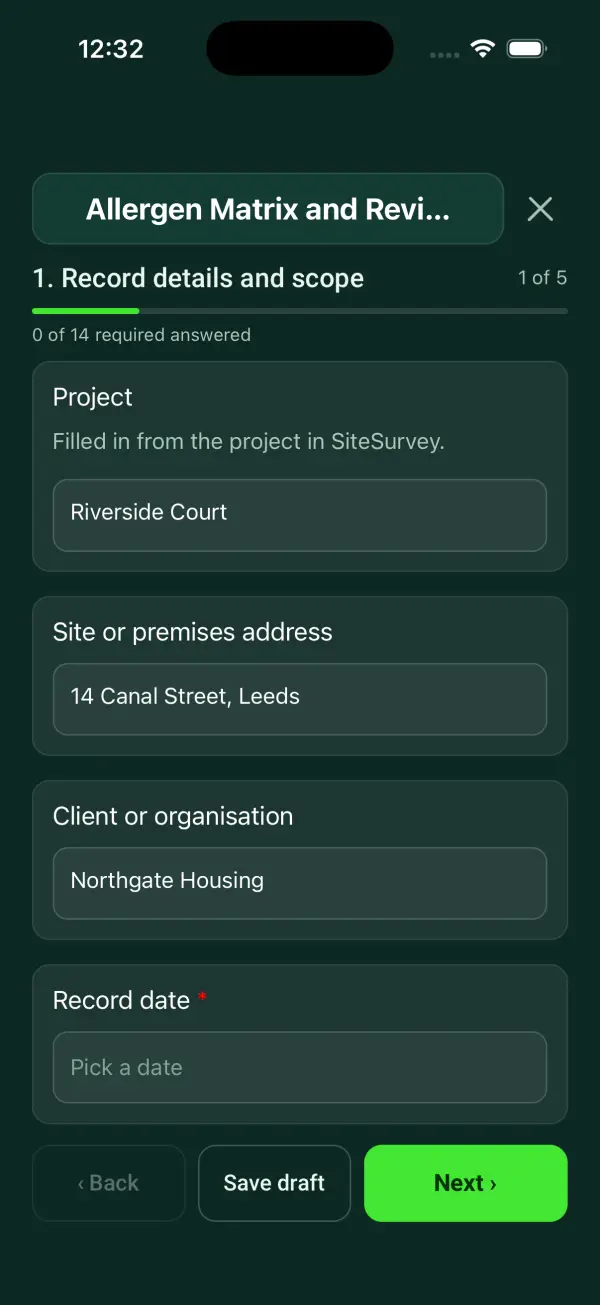
Every question in the allergen matrix and review template
A dish-level allergen record with ingredient evidence, the 14 regulated allergen groups, cross-contact controls, recipe changes and reviewer sign-off. 5 sections and 33 questions. Follow-up questions and guidance appear only when an answer calls for them, so the person on site never sees the ones that do not apply.
Make it your own: every question is editable
This is a starting point, not a fixed form. Once it is in your SiteSurvey account you can reword any question, add or remove questions, sections and answer options, and add your own logo, so it fits the way your team works and the jobs you do.
Details you only enter once
Add this form to a project in SiteSurvey and it fills in what the project already knows, so nobody on site retypes it and every form on the job uses the same names. Anything filled in can still be changed.
- Project: the project name
- Site or premises address: the site address, from the space or the project
- Client or organisation: the project's customer
Record details and scope
- ProjectShort answer
Filled in from the project in SiteSurvey.
Fills in from the project name - Site or premises addressShort answerFills in from the site address, from the space or the project
- Client or organisationShort answerFills in from the project's customer
- Record date*Date
- Person completing the record*Short answer
- CheckThis records the evidence behind allergen information. It must be checked by the business against current ingredients, recipes and preparation. Do not describe a dish as allergen-free from a tick-box result.
- CheckFood businesses must provide required allergen information. FSA guidance distinguishes the rules for different food presentations and sales channels from best practice for non-prepacked food. Written information supported by a conversation is recommended for non-prepacked food; a matrix alone is not a complete labelling or food-safety system.
Menu and evidence
- Menu or product range and version*Short answer
- Information effective fromDate
- Supplier specifications and ingredient-label references*Notes
Use identifiable recipe and supplier evidence, including its revision or date. Treat a missing specification as an information gap rather than an assumption.
- Person checking allergen information*Short answer
Dishes
- Dish or productRepeat for each dish or product. Each one asks:
- Dish or product name*Short answer
- Recipe and version reference*Short answer
- Ingredients and supplier evidence*Notes
- Allergen groups present as ingredientsTick all that apply
- Celery
- Cereals containing gluten
- Crustaceans
- Eggs
- Fish
- Lupin
- Milk
- Molluscs
- Mustard
- Peanuts
- Sesame
- Soybeans
- Sulphur dioxide and sulphites
- Tree nuts
- Specify the cereal or nut type and any relevant ingredient detailsNotes
- All ingredients checked against current evidence?*Choose one
- Yes
- No
- Cross-contact risks and controls*Notes
- Missing evidence or unresolved informationNotes
- Ingredient label photosPhotos
Communication and changes
- Where staff and customers can obtain the information*Notes
- Recipe, supplier or preparation changes and review actionNotes
- Staff briefing and handling of allergy enquiriesNotes
- Separate labelling requirements checked for the food and sales channelNotes
Actions and review
- Are further actions required?*Choose one
- Yes
- No
- Further actionRepeat for each further action. Each one asks:Shown when “Are further actions required?” is “Yes”
- Action and evidence reference*Notes
- Person responsible*Short answer
- Target dateDate
- Action status*Choose one
- Open
- In progress
- Completed
- Completion evidence*NotesShown when “Action status” is “Completed”
- Outstanding limitations and information to pass onNotes
- Record status*Choose one
- Ready for review
- Further work needed
- Work or use stopped
- Reviewed byShort answer
- Review dateDate
- Author signature*Signature
- CheckSigning records the information entered. It does not itself certify legal compliance, remove a limitation or authorise unsafe work.
Scope and responsibility
This records the evidence behind allergen information. It must be checked by the business against current ingredients, recipes and preparation. Do not describe a dish as allergen-free from a tick-box result.
What a useful entry looks like
Supplier specifications and ingredient-label references
Use identifiable recipe and supplier evidence, including its revision or date. Treat a missing specification as an information gap rather than an assumption.
Recipe R-12 uses sauce S-04. Supplier specification dated 3 October is attached; the replacement sauce has not yet been reviewed.
Fictional example of record wording. Use the actual evidence and approved arrangements for your job; this is not a completed report or an instruction to carry out the work.
See it filled in
A completed allergen matrix and review report, made by SiteSurvey from a fictional site visit: every answer, the photos, the guidance that applied and the sign-off, ready to send as a PDF.
Allergen Matrix and Review FAQs
How should I record “Supplier specifications and ingredient-label references”?
Use identifiable recipe and supplier evidence, including its revision or date. Treat a missing specification as an information gap rather than an assumption.
Does an empty allergen selection mean the dish is allergen-free?
No. It may mean information has not been entered. Each dish separately asks whether all ingredient evidence has been checked, and records cross-contact risks and unresolved information.
Can I record different cereal or nut types?
Yes. Use the ingredient details field to identify the specific cereal or nut rather than relying on the group heading alone.
When should I review the record?
Review when ingredients, suppliers, recipes or preparation change. Record the version, effective date and staff briefing so outdated information is not relied on.
What are the limits of this template?
This records the evidence behind allergen information. It must be checked by the business against current ingredients, recipes and preparation. Do not describe a dish as allergen-free from a tick-box result.
Can I complete this form on site and share the record?
In the SiteSurvey app the form works offline, with photos and signatures recorded against the questions. Share the completed record as a PDF or a link. Dates and action owners are recorded fields; this form does not send reminders or update other systems.
Related
Related templates
Templates that go with the allergen matrix and review form
A food traceability exercise linking selected batches, suppliers, production records, customer destinations, quantity reconciliation and information gaps.
A food recall exercise record covering the simulated issue, affected batches, traceability evidence, contact routes, reconciliation and improvement actions.
A pest-control visit record with observed evidence, monitoring locations, proofing and hygiene findings, treatment details and follow-up recommendations.
Use this allergen matrix and review form with your team
Add it from the form library in one click, change any question, and every completed form becomes a branded PDF report.
Start your trial →