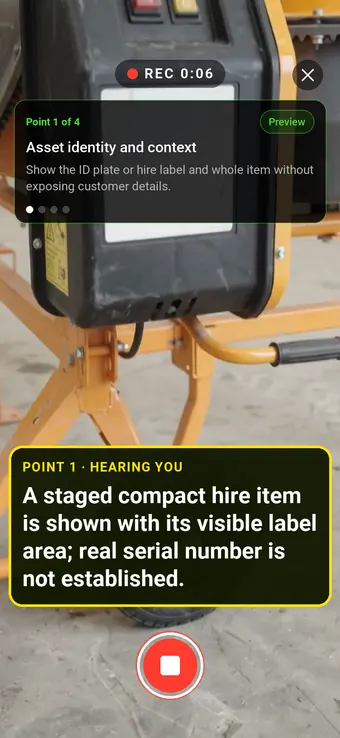
Hold to record. Keep holding while you film and speak; release to save the clip and its transcribed answer.
Four 9:16 example clips generated in Google Flow. Fictional inspection; no customer site is shown.
App-style example using Google Flow footage. The animated recording interface and gradually appearing words are scripted; no real inspection or live transcription took place.
The full visual example
Watch all four inspection points.
Each short clip shows one point in the guided route. The footage is AI-generated and the observations are scripted examples, not findings from a real inspection.
POINT 01
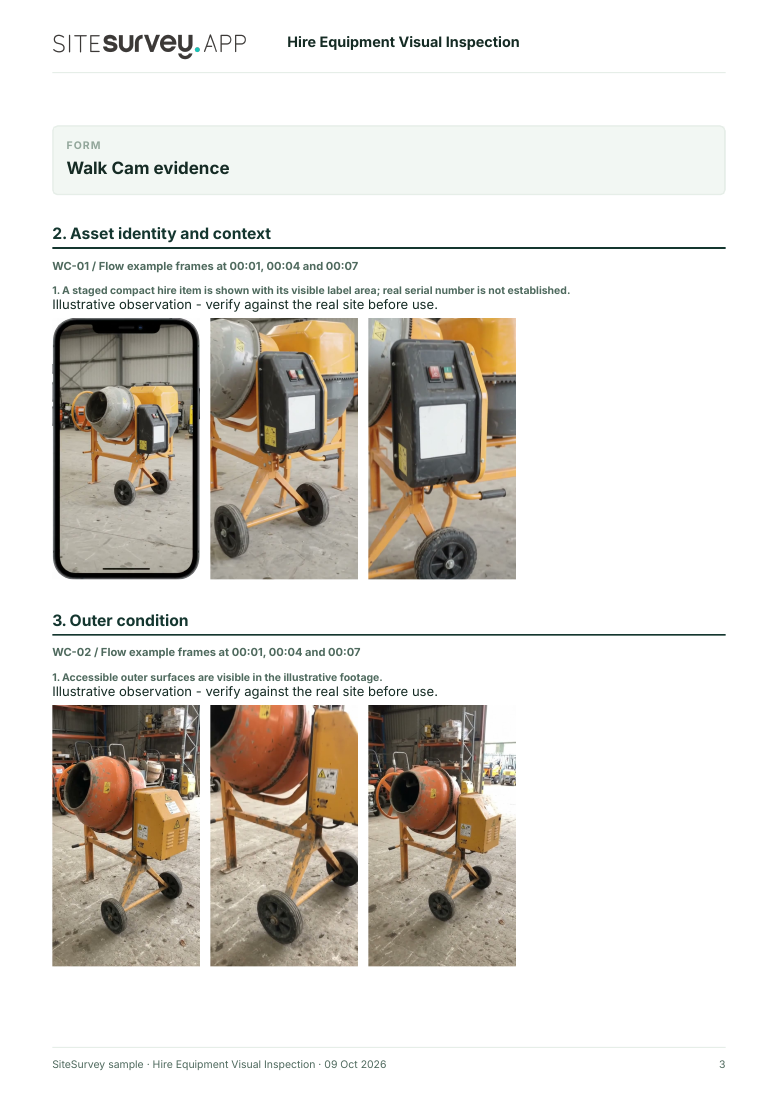
Asset identity and context
Show the ID plate or hire label and whole item without exposing customer details.
A staged compact hire item is shown with its visible label area; real serial number is not established.
POINT 02
Outer condition
Film accessible casing, frame and wheels from a steady distance before close-ups.
Accessible outer surfaces are visible in the illustrative footage.
POINT 03
Visible fittings and accessories
Show supplied handles, guards and accessories without operating or dismantling the item.
Visible fittings are illustrated; completeness and function are not proven.
POINT 04
Return view and exceptions
Repeat the wide handover view and state what was not visible or supplied.
The staged return view documents accessible surfaces only.
What can a hire equipment visual inspection record?
Confirm the equipment ID, hire agreement and handover stage. Film a wide view before visible damage details and supplied accessories. Repeat the route on return and preserve both original records. Video records visible condition only. It cannot establish mechanical or electrical safety, hidden damage, operation, ownership of a defect or liability. Complete the equipment-specific inspection and test process required by risk assessment and manufacturer guidance.
The six-page sample contains four inspection points, twelve footage stills, scripted observations and follow-up actions. The preview shows the first visual-evidence page.
Confirm the equipment ID, hire agreement and handover stage. Film a wide view before visible damage details and supplied accessories. Repeat the route on return and preserve both original records.
01
Asset identity and context
Show the ID plate or hire label and whole item without exposing customer details.
Example observation
“A staged compact hire item is shown with its visible label area; real serial number is not established.”
Scripted example, not a real finding.02
Outer condition
Film accessible casing, frame and wheels from a steady distance before close-ups.
Example observation
“Accessible outer surfaces are visible in the illustrative footage.”
Scripted example, not a real finding.03
Visible fittings and accessories
Show supplied handles, guards and accessories without operating or dismantling the item.
Example observation
“Visible fittings are illustrated; completeness and function are not proven.”
Scripted example, not a real finding.04
Return view and exceptions
Repeat the wide handover view and state what was not visible or supplied.
Example observation
“The staged return view documents accessible surfaces only.”
Scripted example, not a real finding.
How to use the record
Make the visual evidence useful.
Identify the visit
Record the asset or site, visit stage, date and inspector. Keep each clip attached to its point and note anything inaccessible.
Describe, then escalate
Say what the camera shows and where it is. Record the next action without guessing the cause or declaring a specialist result from video.
Use the relevant guidance
Explains risk-based inspection, when a visual check may be sufficient and evidence required when inspected equipment leaves an undertaking. HSE · Inspection of work equipment ↗
Inspection scope
Video records visible condition only. It cannot establish mechanical or electrical safety, hidden damage, operation, ownership of a defect or liability. Complete the equipment-specific inspection and test process required by risk assessment and manufacturer guidance.
Questions, answered
Hire equipment visual inspection FAQs
Can a video replace a hire equipment safety inspection?
No. HSE guidance requires inspection based on risk and the equipment type; video only adds visible context.
Why record the asset ID?
It links issue and return footage to the same equipment record and reduces attribution mistakes.
Can footage prove who caused damage?
No. Compare the issue and return records, contract terms and other evidence before deciding responsibility.
What happens if a safety defect is suspected?
Remove the item from use and follow the depot’s competent inspection and repair process.
Sources and review
Guidance checked 9 October 2026. The four-point route is a SiteSurvey example, not a method prescribed by these sources.
Explains hire-supplier responsibilities and the distinction between thorough examination and routine checks.
Search research: Keywords Everywhere estimated 70 UK monthly searches for “equipment damage report” when checked 9 October 2026. The phrase is broad and may reflect incident paperwork rather than software demand. Validate hire-handover search intent before indexing. This is not a traffic or conversion forecast.
SiteSurvey Walk Cam explains the product capability. The clips are AI-generated examples.